LeaveWise
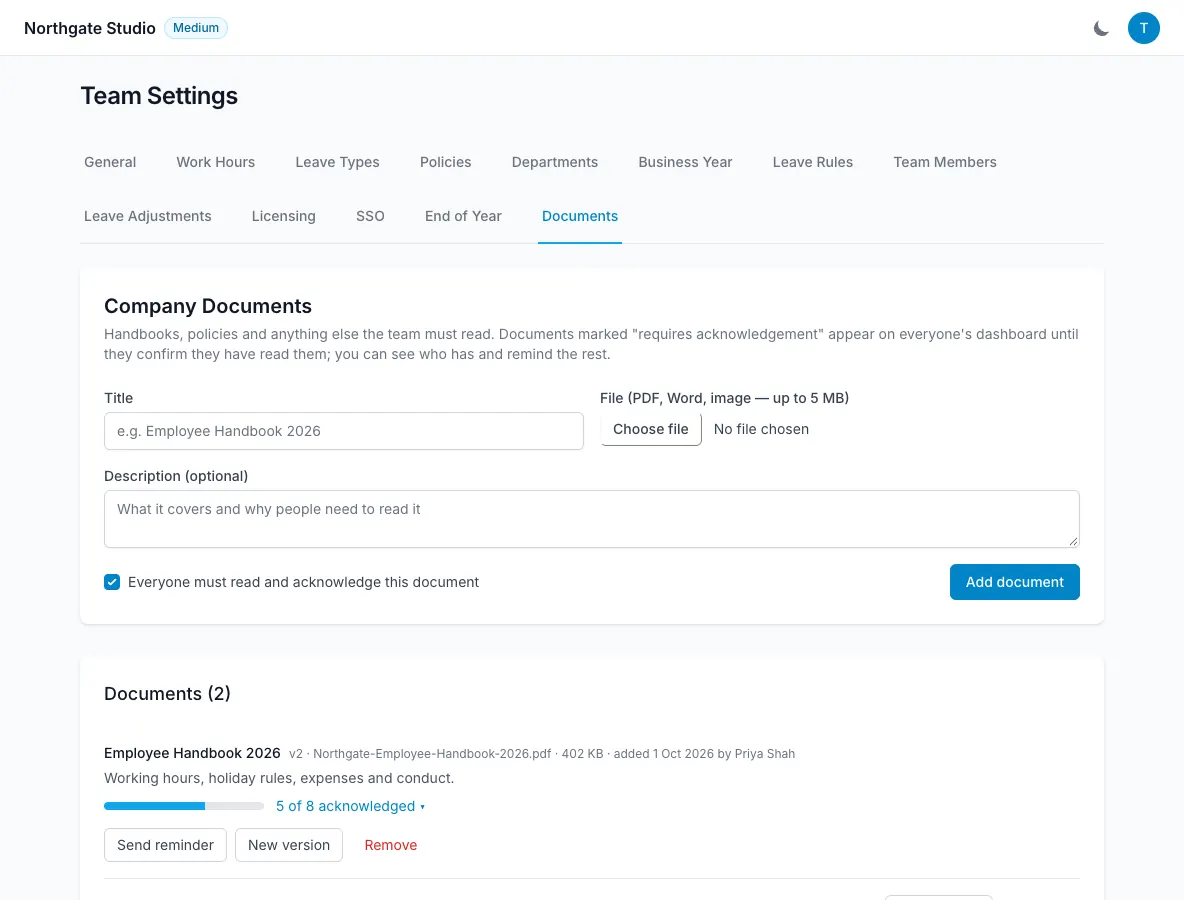
Company documents give the team a place for shared material such as a handbook or policy. When a document requires acknowledgement, people confirm that they have read it and admins can review the outstanding confirmations.
This is different from a private contract or certificate kept in an individual’s HR records.
Upload the current document
Use the company documents area to upload the handbook or policy. Check that the file is the intended version and that its title makes sense to the people who will read it.
Decide whether acknowledgement is needed. Not every reference document requires a formal confirmation, but a policy update may need a clear record that it has been presented and read.
Make the document itself understandable. An acknowledgement tool does not resolve unclear wording or answer a person’s questions about the policy.
Require acknowledgement
Mark the document as requiring acknowledgement. Each person can confirm that they have read it.
The record includes their name, date and IP address. This provides a traceable record of the confirmation associated with the document.
Treat it as a read-and-acknowledge record. Do not describe it as a broader legal signature or certification beyond the feature that is actually provided.
Follow up on outstanding confirmations
Admins can see who has not acknowledged the document and can send reminders. Review that list before chasing people individually.
If someone is uncertain about the content, answer the question rather than treating the missing acknowledgement as purely an administrative problem.
Consider when people are away and whether they have access to the current version. The team calendar can provide useful context for a sensible follow-up.
Publish a new version
A new document version resets acknowledgements. That means the team confirms the current material instead of relying on a record that relates to an older policy.
Explain what changed when asking people to read an update. The software records the acknowledgement, while clear communication helps people understand why another confirmation is needed.
For documents relating to one employee, use the HR records area and its employee-visibility option instead. Keep shared company guidance and sensitive individual information in the appropriate places so the audience remains clear.