Your first month is free.Add code at checkout.

Security & access

Secure leave management: the right access, a clear record.

Practical controls for the information your team trusts you with. Two-factor authentication, clear roles and a record of changes.

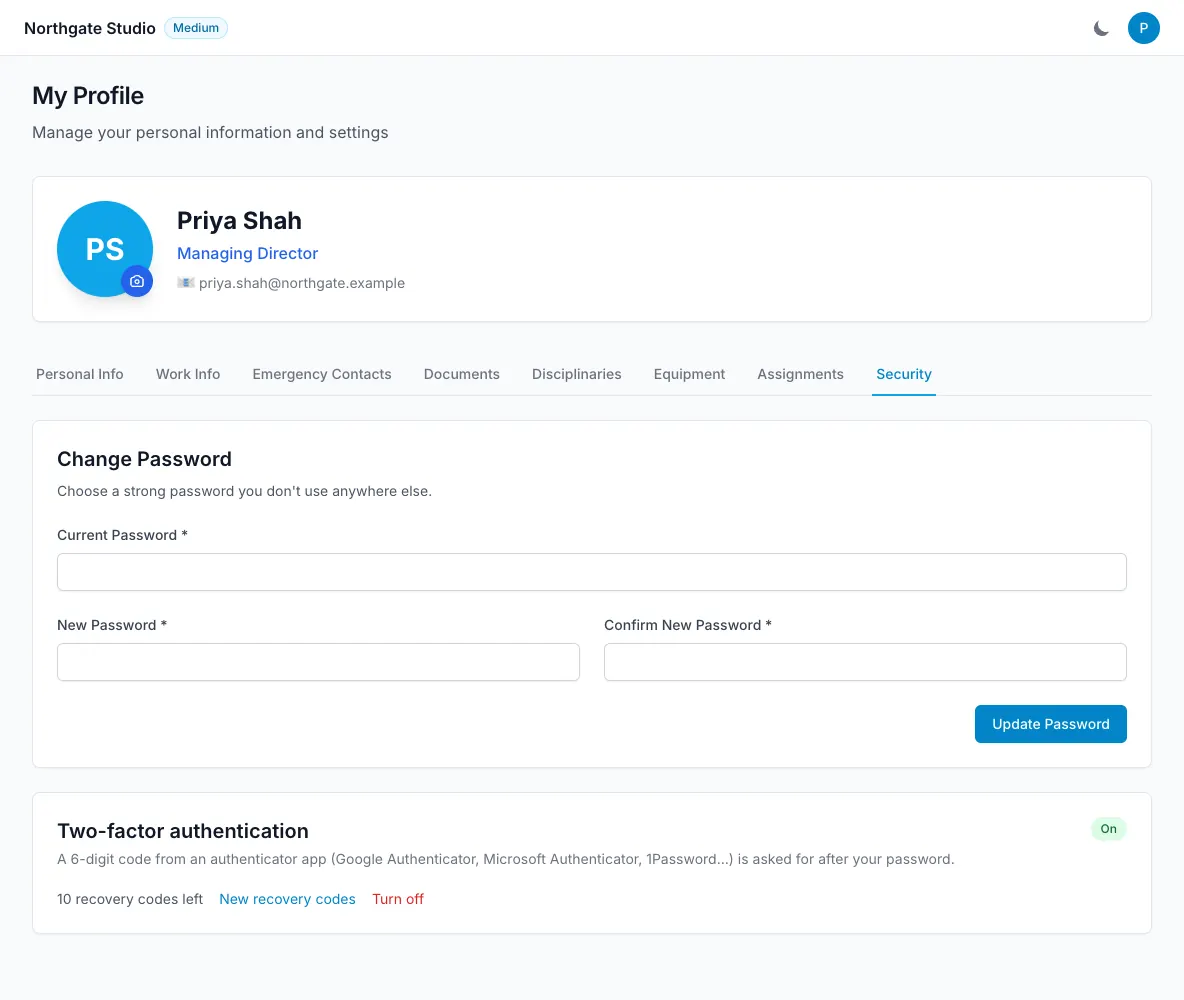
Profile Security settings with authenticator-based two-factor authentication enabled
  • Authenticator app 2FA and recovery codes
  • Microsoft 365 single sign-on
  • Role-based access
  • Private files with short-lived links
How it works

Security & access, step by step.

An extra step at sign-in.

Each user can enable two-factor authentication with a TOTP authenticator app. Recovery codes provide a way back in if the authenticator becomes unavailable, and an admin can reset two-factor authentication when someone loses their phone. Sign-in and sign-up also use Cloudflare Turnstile, while password resets are sent by email. Users with two-factor authentication currently need the web app because the iOS sign-in step is still in progress.

  • Per-user authenticator setup
  • Recovery codes
  • Admin reset when needed
An extra step at sign-in — LeaveWise screenshot

Use your team’s Microsoft account.

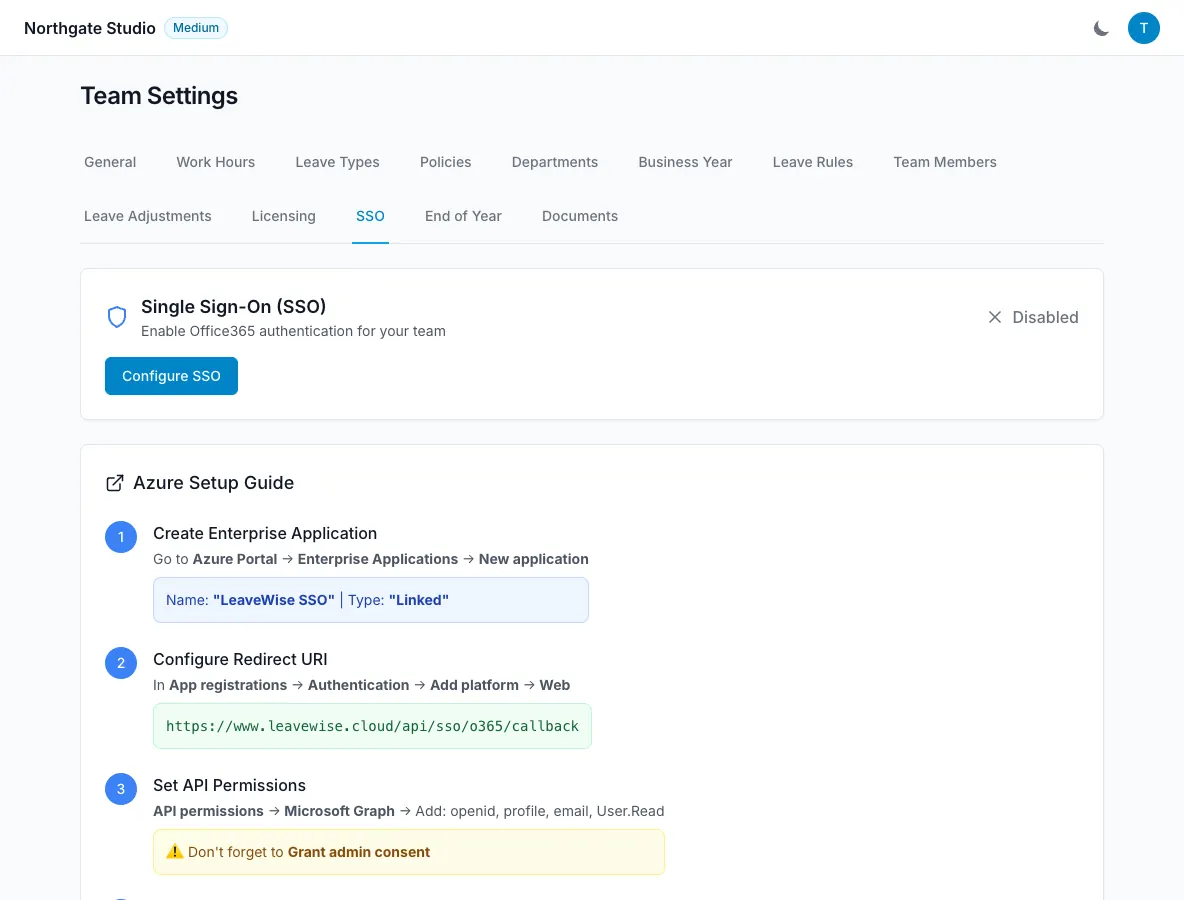
Microsoft 365 single sign-on can be configured per team using Azure AD / Entra. Access is restricted to that team’s users. It gives organisations already using Microsoft a sign-in option alongside the product’s access controls. This is not directory synchronisation: people and their roles are still managed in LeaveWise. Google sign-in and directory sync are separate planned features, with no promised release date.

  • Microsoft 365 SSO per team
  • Restricted to team users
  • No directory sync claim
Use your team’s Microsoft account — LeaveWise screenshot

Keep access and changes visible.

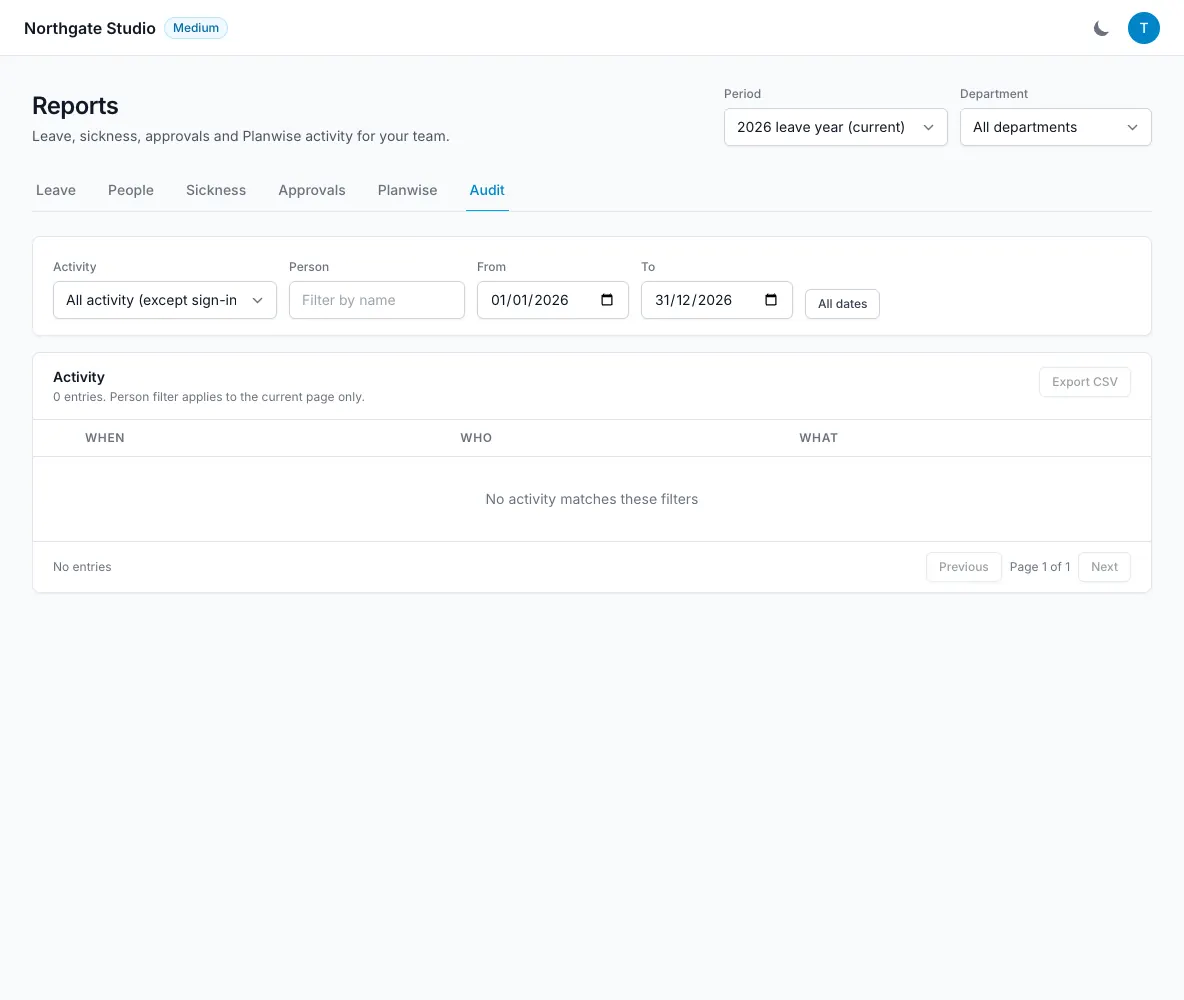
Team admins, members and department managers have different access. Managers see their department’s approval queue, and members see only their own visible HR items. Data is stored in Supabase Postgres; files use private storage and short-lived signed links. Administrative actions appear in the audit log with the actor, time and changes. The public status page provides a place to check service status when something is not working.

  • Roles control access
  • Private document storage
  • Before and after values in the audit log
Keep access and changes visible — LeaveWise screenshot
FAQ

Questions people ask

Something else on your mind?
Talk to us

Do you support two-factor authentication?

Yes, with an authenticator app and recovery codes. Admins can reset it for someone who loses their phone. Two-factor sign-in is currently available on the web; iOS support is in progress.

Do you support single sign-on?

Microsoft 365 single sign-on (Azure AD / Entra) is available per team. Google sign-in is planned.

Is there an audit log?

Yes. Leave, member, settings, HR, document and access changes are recorded with who, when and what changed, including before and after values.

Get started today

Give your team a clearer way to book time off.

Requests, approvals, balances and who’s out, done properly. Every feature included, from £4.99 a month.

Get started with LeaveWise See pricing Monthly billing. No contract. Cancel any time.