LeaveWise
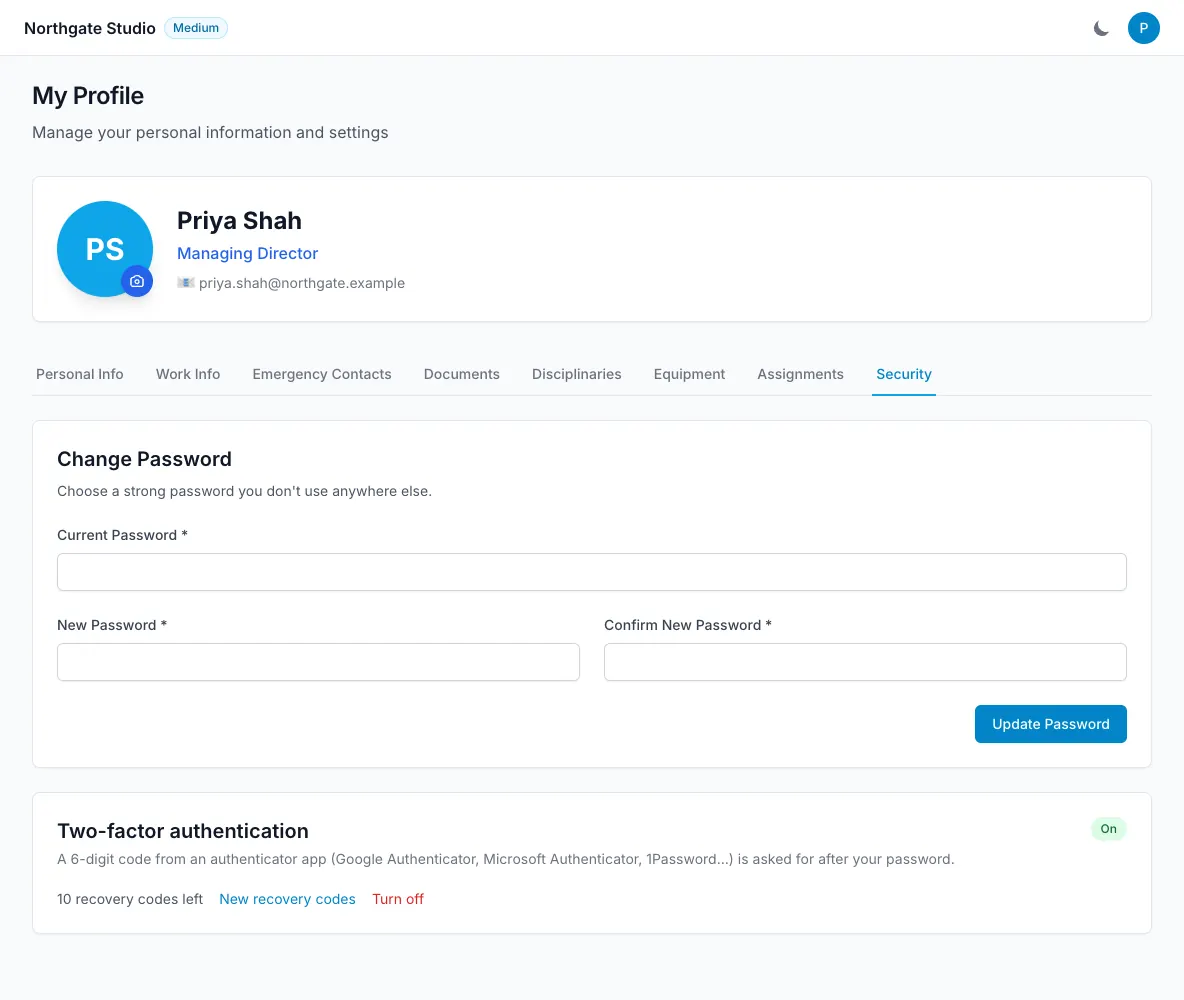
Two-factor authentication (2FA) asks for a six-digit code from an authenticator app after your password. It is switched on per person, from your own profile. Any TOTP app works — Google Authenticator, Microsoft Authenticator, Authy, 1Password and the like.
Using the iPhone app? The app does not yet handle the code step. If you turn 2FA on, sign in on the web until the app is updated; the profile page shows this warning before you enable it.
Turn it on
- Go to Profile → Security and click Turn on two-factor authentication.
- Scan the QR code with your authenticator app, or type the key shown next to it into the app by hand.
- Enter the six-digit code the app now shows and click Confirm and turn on.
- LeaveWise shows ten recovery codes. Copy them somewhere safe — a password manager is ideal. They are shown once only.
The Security tab now shows On and how many recovery codes you have left.
Signing in
Enter your email and password as usual. LeaveWise then asks for the current code from your app. Codes change every 30 seconds; if one is rejected, wait for the next and try again.
If you do not have your phone, enter one of your recovery codes instead. Each recovery code works once. When you are running low, use New recovery codes on the Security tab (it asks for your password) to get a fresh set; the old ones stop working.
Turn it off or change device
On Profile → Security, Turn off asks for your password and removes 2FA. To move to a new phone, turn it off and on again and scan the new QR code.
Lost your phone and your recovery codes?
Ask a team admin. On your profile (Our People → your name → Work Info) they will see that 2FA is on with a Reset (lost device) button. Resetting turns it off so you can sign in with your password and set it up again. The reset is recorded in the audit log. Team admins cannot reset another team admin’s 2FA — that needs a second admin to ask us, or the recovery codes.
Accounts that sign in with Microsoft 365 single sign-on do not use LeaveWise 2FA; their security settings come from your Microsoft tenant.