LeaveWise
Approvers need enough information to make a fair decision without reconstructing a request from emails. LeaveWise brings the booking details and relevant team context into the approval view.
A department manager receives requests for their department when one is assigned. Otherwise, requests go to the team admins. Nobody can approve their own leave.
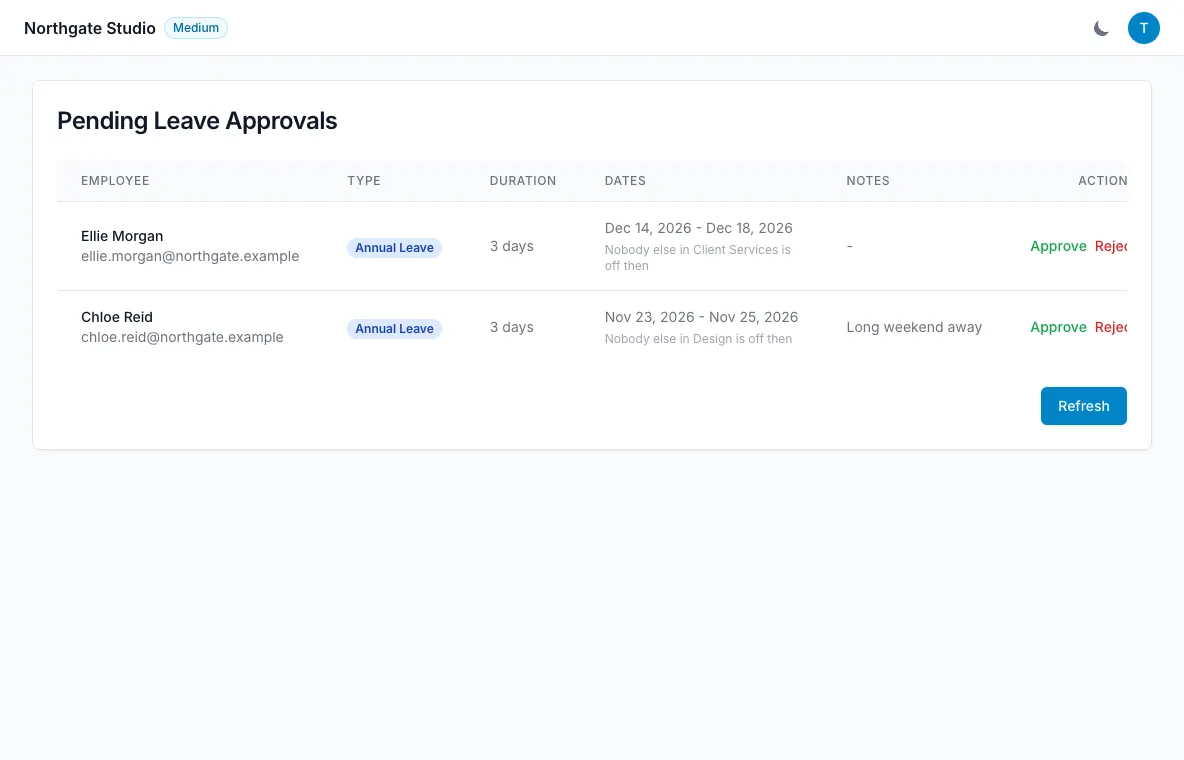
Review the booking details
Open the pending request and check the leave type, dates and number of days. Read the employee’s note and supporting document if there is one.
The day count uses the person’s working pattern and the team’s bank-holiday settings. If the number differs from a simple count of weekdays, check those settings before assuming the employee has entered the wrong dates.
Approved and pending leave are included in the balance check when requests are made. The request should be considered in the context of the person’s allowance, not only the original entitlement.
Check coverage and restrictions
The approval view shows department coverage information, such as “2 of 5 in Sales already off”. Use that context alongside the actual work your team needs to cover.
Restricted-date warnings are also visible. A warning means the request was allowed to be submitted but needs attention; it does not automatically mean the request must be rejected.
Follow your organisation’s policy when weighing coverage, notice and individual circumstances. The software supplies information, while the approver makes the decision.
Approve or reject
Choose the appropriate decision after reviewing the request. Email notifications keep the people involved informed of the outcome.
Approved leave is reflected in the shared calendar views. If the person’s plans subsequently change, they can cancel their pending or approved booking.
Keep the decision trail clear
Reports include approval timing and activity by approver. Leave history can include the approver and identify who booked the absence.
An admin booking on someone’s behalf is a different workflow: the booking is approved immediately, the employee is emailed and the record names the admin who created it.
If you cannot find an expected request, check the person’s department and its assigned manager. Managers see their own department’s queue rather than all requests across the organisation.