LeaveWise
Subscriptions are monthly, in pounds sterling, with every feature on every plan. The only difference between plans is how many people your team can have. There is no contract and no annual option at the moment.
The four plans
| Plan | Users | Price per month |
|---|---|---|
| Starter | up to 5 | £4.99 |
| Team | up to 12 | £9.99 |
| Business | up to 20 | £14.99 |
| Enterprise | up to 100 | £39.99 |
Both active members and pending invitations count towards the limit. VAT is applied at checkout as applicable; the checkout page shows the final amount before you confirm.
Where billing lives
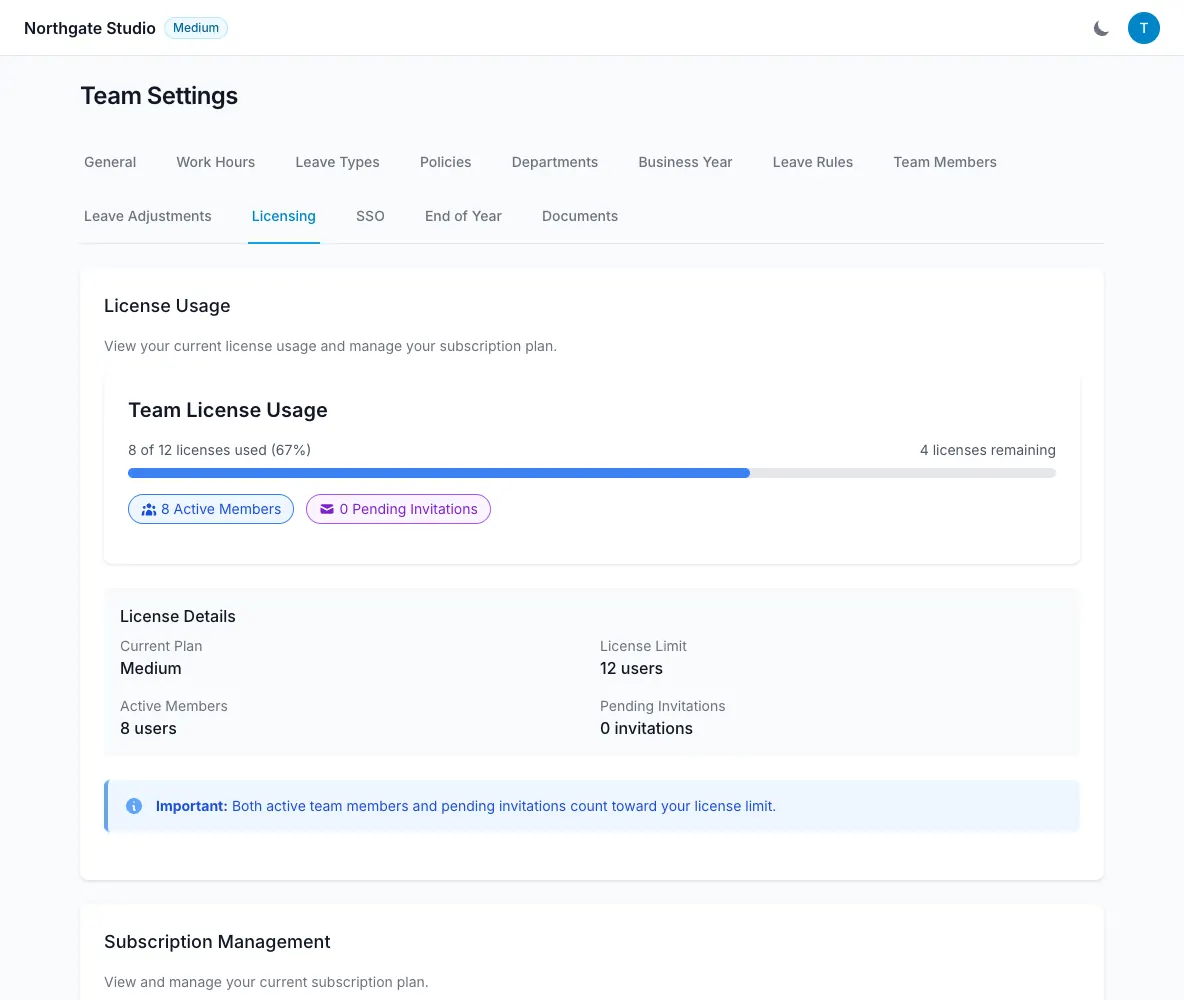
Everything is on Team Settings → Licensing. The top of the page shows how many of your seats are in use. Below it, Subscription Management shows the current plan, status and next payment date, with three actions:
- Upgrade Plan — pick a larger plan. The change takes effect immediately and Stripe prorates the difference on your next invoice.
- Update Payment Method — change the card on file.
- Cancel Subscription — ends the subscription at the end of the current paid period. You keep access until then.
Only team admins see this tab.
Invoices
Below Subscription Management, Invoices lists every invoice from the last 12 months, one row per month, with a Download button that opens the PDF. See Download your invoices for what each status means and how to get older invoices.
When you hit the limit
When you try to invite someone beyond the plan’s limit, LeaveWise refuses the invitation and tells you which plan you need. Nothing is removed — upgrade on the Licensing tab, then send the invitation again. Deactivating a member frees their seat.
Subscriptions bought on the iPhone app
If the team was set up through the LeaveWise iPhone app, the subscription is an Apple In-App Purchase. The Licensing tab shows the plan, but changes and cancellation are made in your Apple ID subscription settings on the phone, and Apple’s receipts apply. The plan tiers and prices are the same.
If a payment fails
LeaveWise emails the team admins and keeps the team open for a short grace period while Stripe retries the card. Update the card on the Licensing tab to clear it. If the grace period runs out, members are blocked from signing in until the subscription is active again; admins can still sign in to fix billing. No leave data is deleted.
Cancelling
After Cancel Subscription the team stays active until the paid period ends, then members can no longer sign in. Admins can still sign in to reactivate. If you want your data removed entirely, email hello@leavewise.app from an admin’s address.