LeaveWise
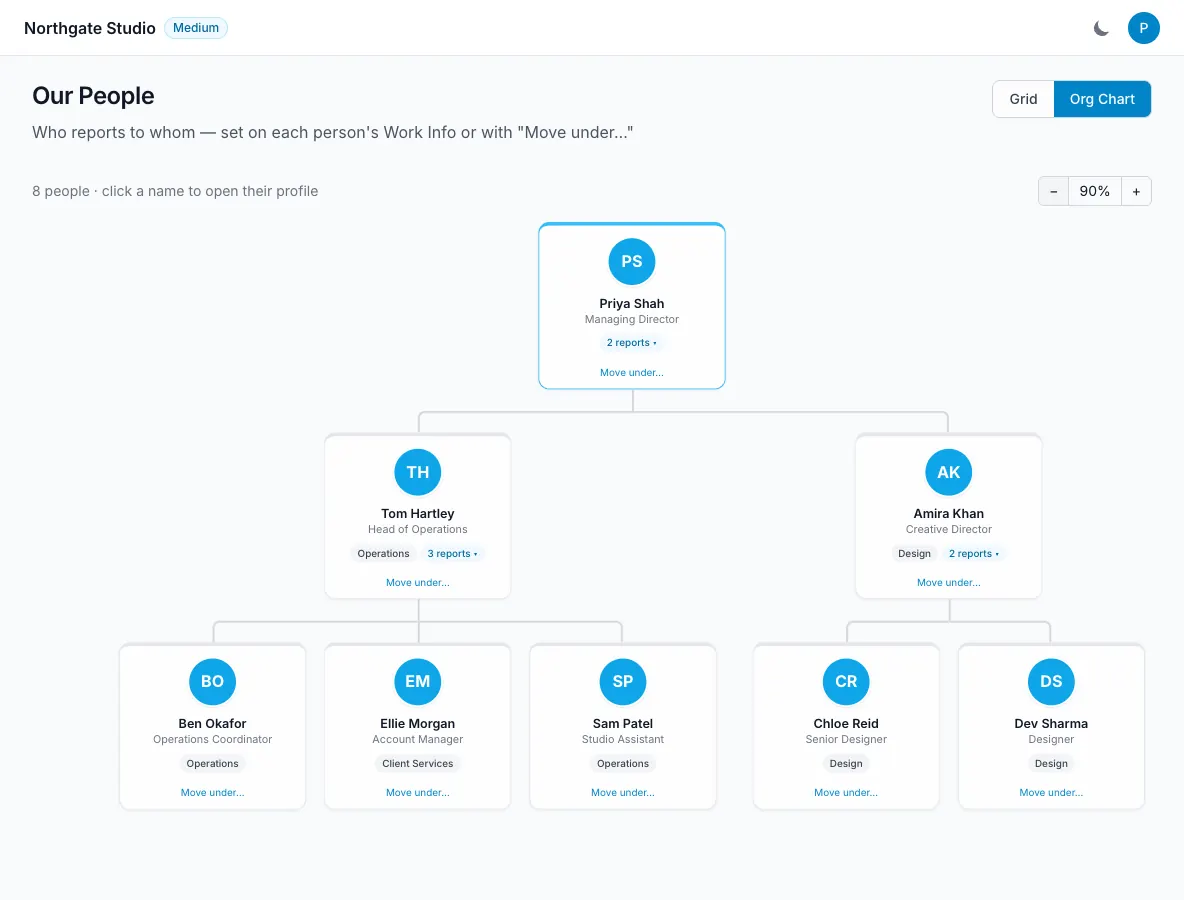
The org chart shows a reporting tree, using each person’s “reports to” relationship. It is intended to reflect who reports to whom, rather than simply displaying a list of people grouped by department.
The owner sits at the top, with directors and their teams arranged through the reporting relationships you set.
Prepare the people records
Check that the people who belong in the structure have the correct profiles. Job titles and department details help colleagues understand the chart, but the reporting relationship is what determines the tree.
Agree the intended structure before editing a large number of relationships. This is particularly useful where someone works with several teams but has one formal reporting line.
Use the chart to describe the organisation as it is, rather than using a temporary project arrangement as the permanent reporting structure.
Set reports-to relationships
Edit a person’s profile and set who they report to. Review the resulting position on the org chart to confirm that it matches the intended relationship.
You can also edit directly on the chart using “Move under…”. Select the person and move them under the appropriate reporting manager.
Check the branch after a move, especially where the person has people reporting to them. The visual tree should still make sense to someone who was not involved in the edit.
Navigate the chart
Collapse branches to focus on the part of the team you need. Use zoom to see either the overall structure or a smaller set of reporting relationships.
These controls help make a growing tree readable without changing the underlying people records. A collapsed branch is a display choice, not a removal of the people in it.
Keep approvals separate
Department managers power leave approval routing and manager reminders. A reporting-line relationship on the org chart should not be confused with that department setting.
When a person changes manager, check both the reporting tree and the relevant department configuration. The correct choice depends on who should manage requests as well as who the person formally reports to.
Review the chart when people join, leave or move roles. A simple, accurate structure is more useful than an elaborate chart that no longer describes how the team works.