Your first month is free.Add code at checkout.

Reports & analytics

Absence reports that show what happened and what changed.

A practical view of absence, coverage and approvals, with a traceable record behind the numbers.

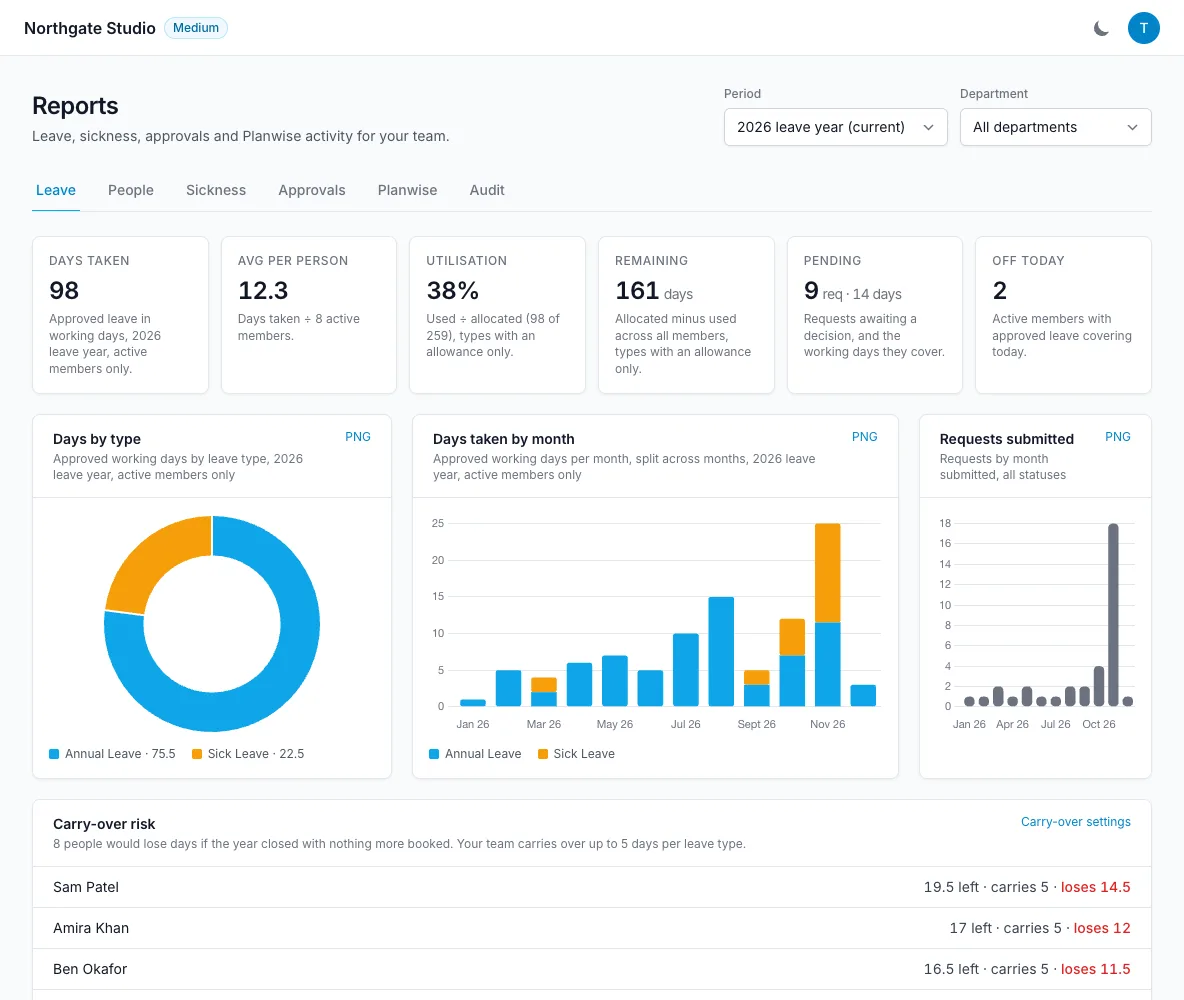
Reports overview with leave taken, remaining, pending and department filters
  • Overview and per-person breakdowns
  • Approval timing and who requests wait on
  • Sickness, return to work and fit notes
  • Carry-over risk on your own rules
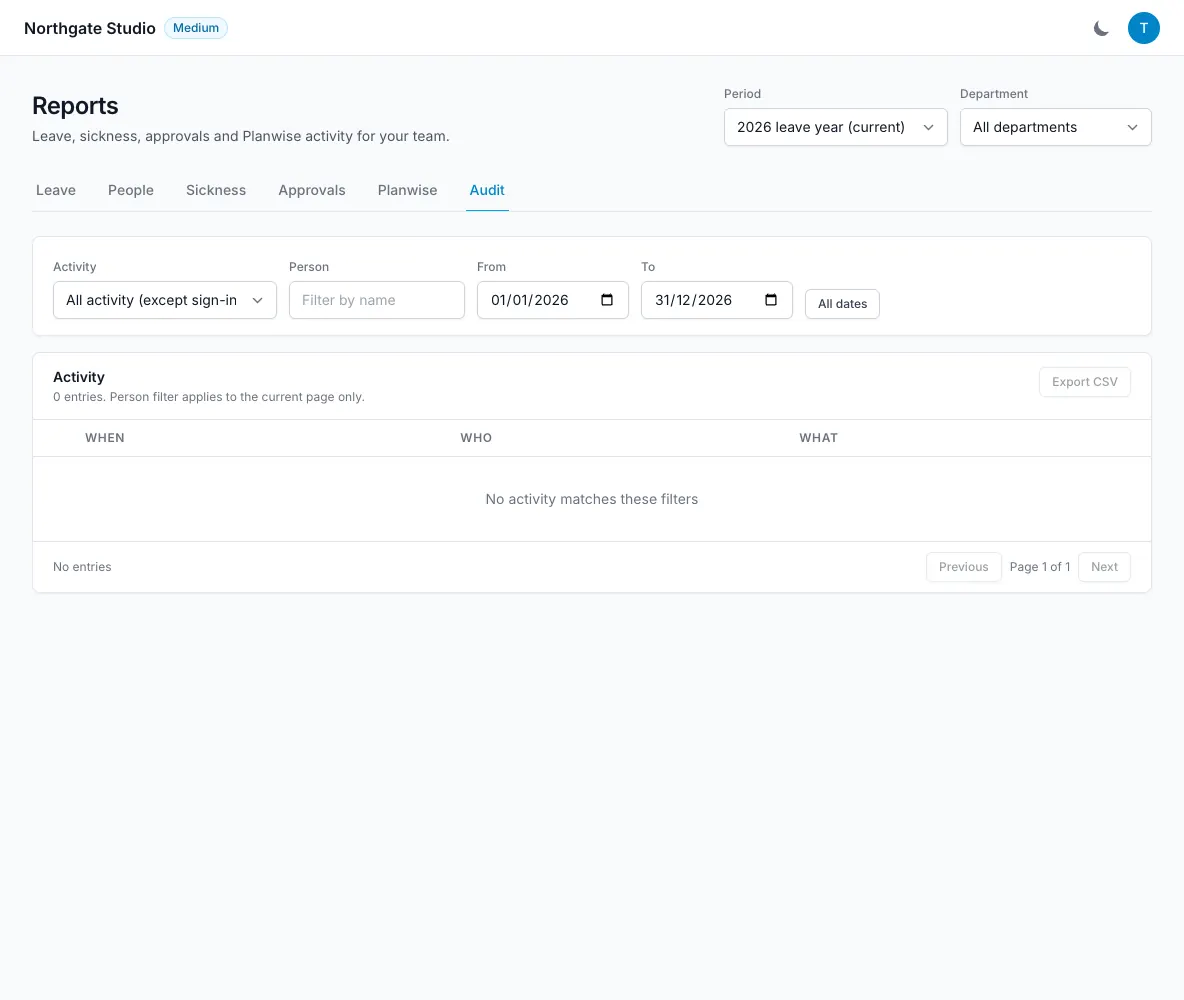
  • Categorised audit log with before and after values
How it works

Reports & analytics, step by step.

Start with the picture you need.

The overview brings together days taken, remaining and pending, plus who is away today. Move into per-person tables, monthly trends or popular days when you need more detail. Filters let admins choose the leave year, a custom date range and a department. That makes it possible to look at the current team position or review a specific period without maintaining a separate reporting spreadsheet.

  • Leave-year and custom-date filters
  • Department filters
  • Per-person, trends and popular-day reports
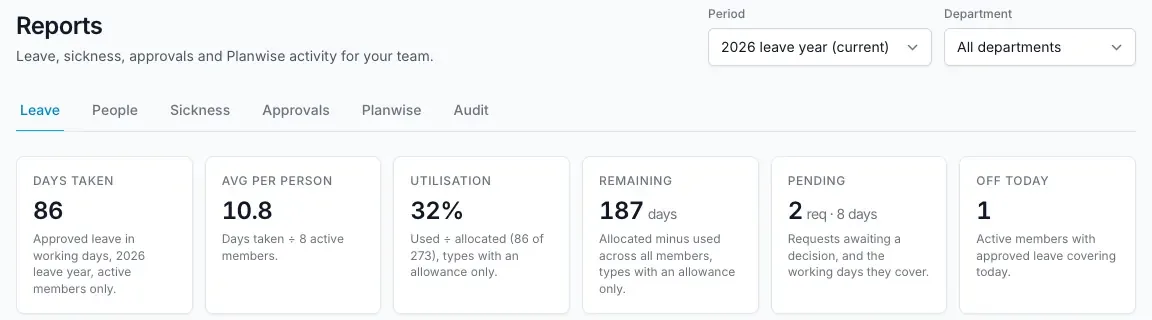
Start with the picture you need — LeaveWise screenshot

Understand approvals and absence patterns.

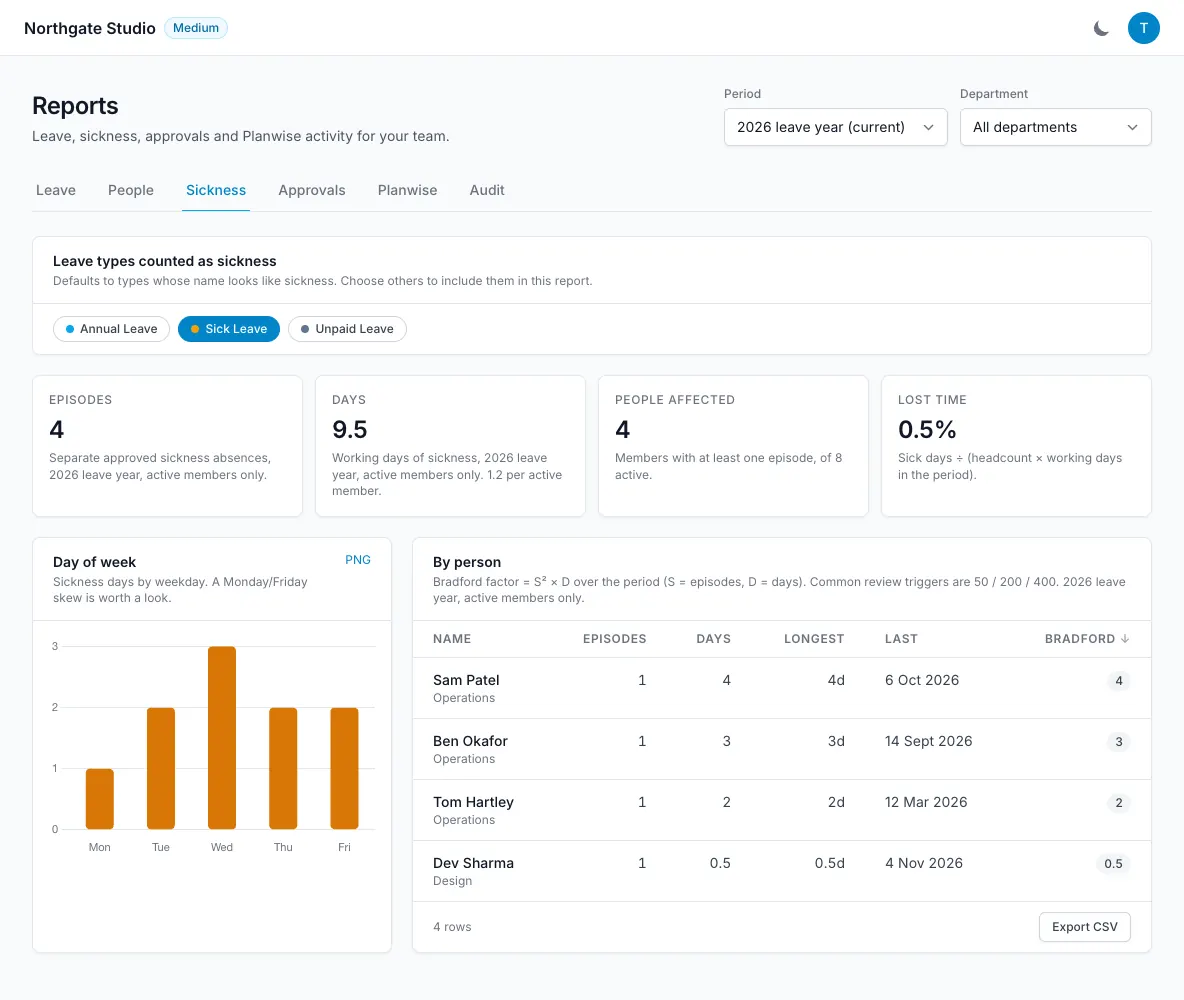
Approval reports show time to decide, activity by approver, bookings made on behalf of someone else, and who each waiting request is waiting on, flagging any that have waited 3 days for a manager. Coverage reports help admins review availability, while sickness reports show episodes, days and Bradford-style patterns. These reports provide context for human decisions. A pattern or score alone cannot explain a person’s circumstances and should not replace a careful conversation or the organisation’s own absence policy.

  • Approval timing by approver
  • Sickness days and episodes
  • Coverage and Planwise activity
Understand approvals and absence patterns — LeaveWise screenshot

Follow the history behind a change.

The audit log groups events into leave, members, settings, HR records, company documents and security, including deleted leave, restricted dates and two-factor changes. Entries record who acted, when and what changed, including before and after values. If a balance, policy or people record looks different, admins can inspect the relevant history instead of relying on memory. Bookings made by admins on behalf of employees are identified, keeping the decision trail connected to the record.

  • Categorised administrative events
  • Before and after values
  • Attribution for bookings made on behalf
Follow the history behind a change — LeaveWise screenshot

Return to work, on the record.

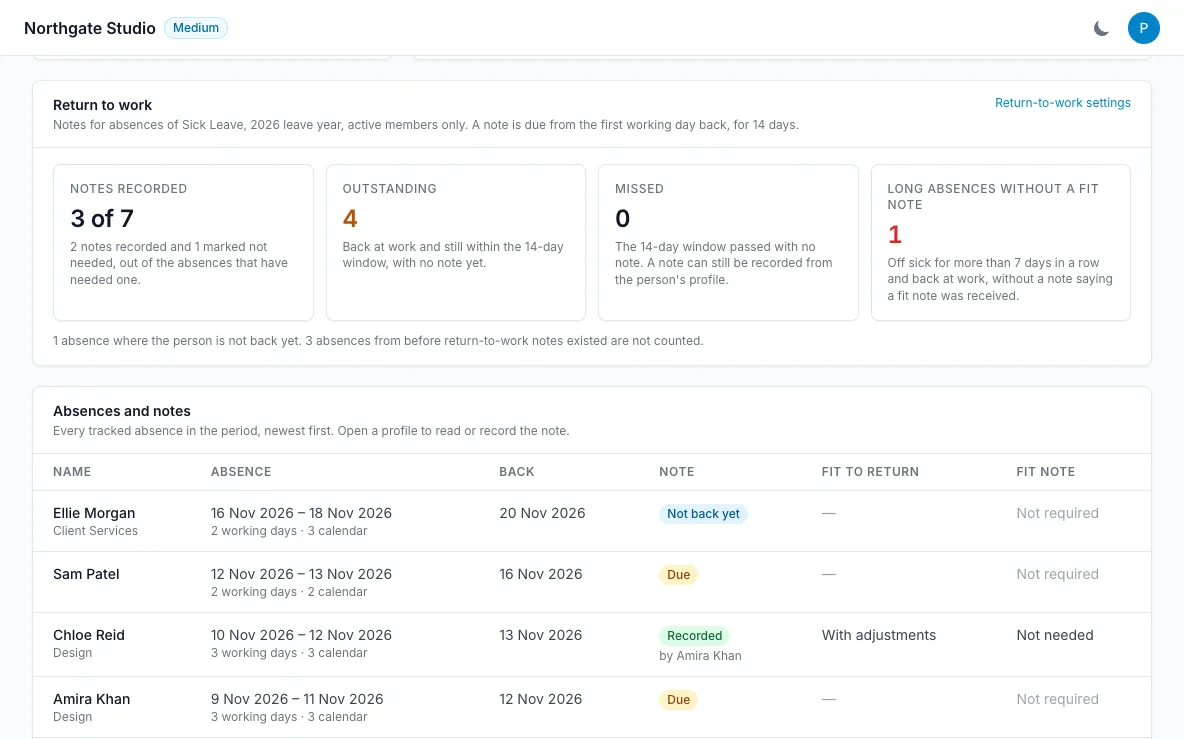
The Sickness report includes a return-to-work view: how many absences have a note, which are still outstanding, any missed, and long absences of more than 7 days with no fit note received. Each absence is listed with the day the person was back and the note’s status, linking to their profile. The note itself stays on the profile, so the report shows coverage without spreading health details.

  • Recorded, outstanding and missed notes
  • Long absences without a fit note
  • Links to each person’s profile
Return to work, on the record — LeaveWise screenshot
FAQ

Questions people ask

Something else on your mind?
Talk to us

Is there an audit log?

Yes. Leave, member, settings, HR, document and access changes are recorded with who, when and what changed, including before and after values.

Does LeaveWise do return-to-work notes?

Yes. When someone’s sick leave ends, their department manager (or the team admins) is prompted on the Dashboard to record a short note: whether they are fit to return, whether a fit note was received, and anything agreed. Notes are kept on the person’s profile and they can read their own.

Can our leave year run April to March?

Yes. Choose your leave-year start in Team Settings. Balances and reports follow that year, and you can book leave up to the end of the next leave year.

Is there a public API?

Not yet. A public API is on the roadmap, without a promised release date.

Get started today

Give your team a clearer way to book time off.

Requests, approvals, balances and who’s out, done properly. Every feature included, from £4.99 a month.

Get started with LeaveWise See pricing Monthly billing. No contract. Cancel any time.