LeaveWise
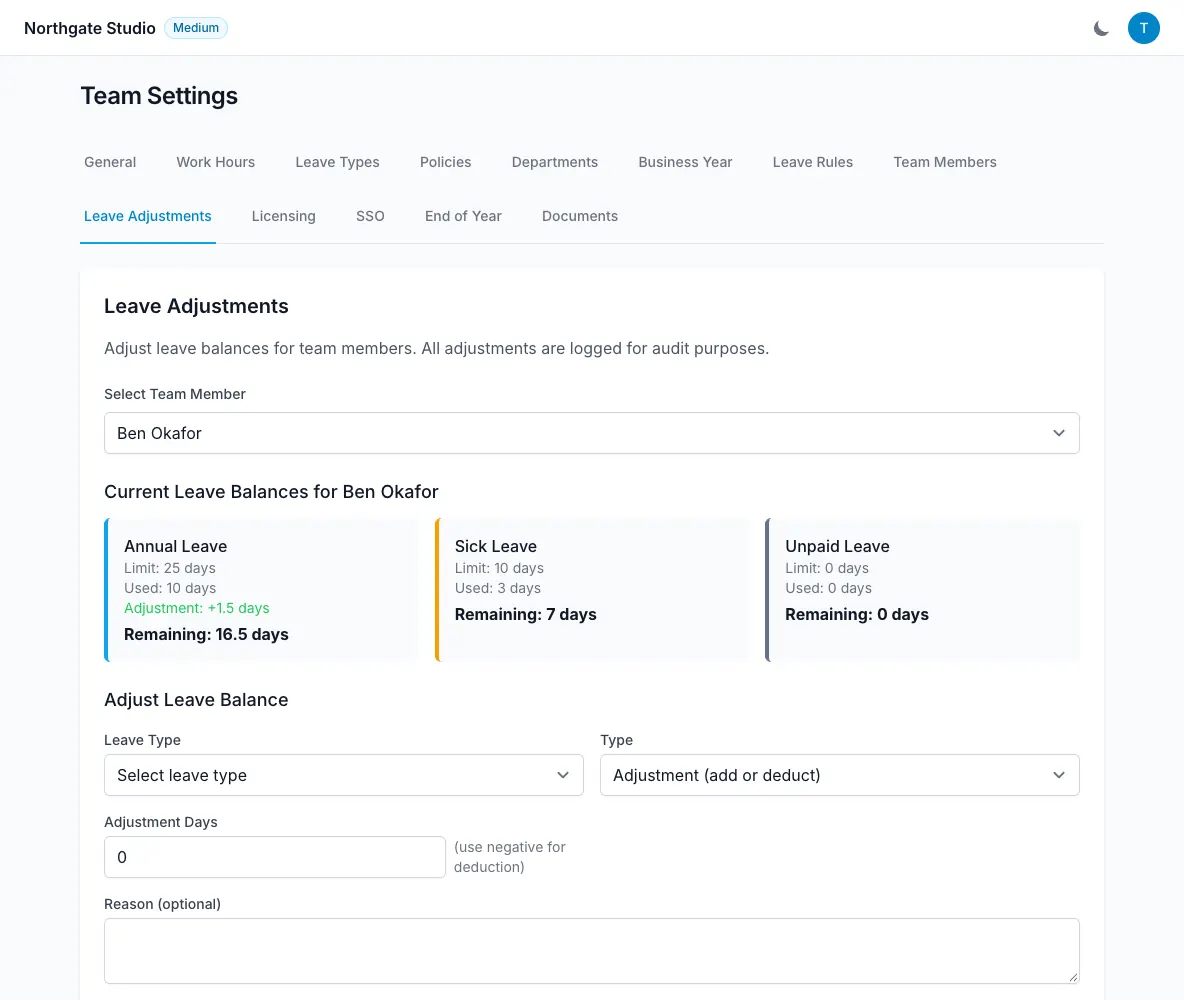
A balance is calculated for a particular leave type and leave year. The core relationship is entitlement + adjustments − days used. Understanding each part helps explain a figure without relying on a separate spreadsheet.
Always check the leave type and year first. Comparing annual leave in one year with a different type or period will not give a useful result.
Start with entitlement
Entitlement comes from the person’s configured allowances and policies. Policies bundle leave types and allowances and are assigned per person.
Several policies may apply. When they overlap for a leave type, the highest allowance wins rather than the allowances being added together.
If pro-rata is enabled, the entitlement can reflect a part-time pattern or a person joining or leaving during the year. The calculation is shown on the profile and rounded to the nearest half day.
Add or subtract adjustments
Adjustments record individual changes with a reason and the admin’s name. They can add days or deduct days. Time off in lieu is a distinct adjustment type and appears separately.
An opening adjustment can represent the starting position when moving into LeaveWise. There is no spreadsheet import yet, so check the figure and the explanation carefully.
Carry-over can also contribute to the new year when an admin closes the previous one with carry-over enabled. Caps and expiry rules affect how much remains available.
Account for used and pending leave
Leave costs use the person’s working pattern. Enabled bank-holiday deduction excludes qualifying bank holidays from the charged days.
Approved and pending leave are included in checks before another request is made. This prevents a person treating the same available allowance as unused while earlier requests are still awaiting decisions.
The balance breakdown and the request preview serve related purposes: one explains the position, and the other explains the proposed booking’s cost.
Investigate a difference
Check the year, leave type, policies, working pattern and any pro-rata calculation. Then review adjustments, carry-over and existing requests.
Use the audit log and leave history when you need to understand who changed a record. Avoid adding a compensating adjustment until you know the cause, because an unexplained correction can hide a configuration problem that affects future requests too.