Your first month is free.Add code at checkout.

Requests & approvals

Leave requests and approvals, without the back and forth.

A clear request. The right approver. Everyone kept in the loop. See what a booking costs before it leaves your hands.

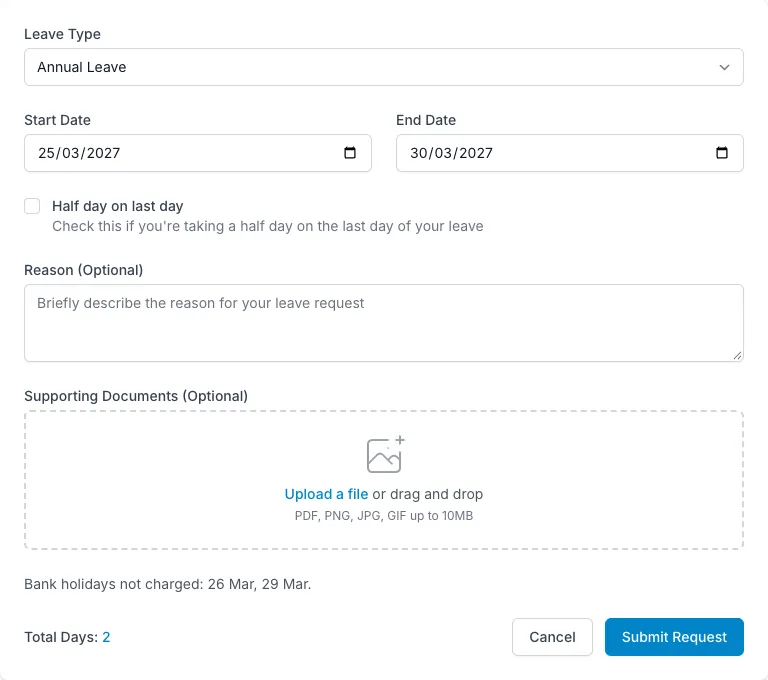
Request Leave form showing 2 days charged with Good Friday excluded
  • Working-day cost shown before submitting
  • Approvals routed to department managers
  • Department coverage visible on requests
  • Admins can book on someone’s behalf
How it works

Requests & approvals, step by step.

Know exactly what you’re asking for.

Choose a leave type and dates, add a half day if needed, and see the cost before submitting. The preview uses your own working pattern and shows bank holidays that are not charged, restricted dates and colleagues already off in your department. Add a note or a private supporting document when the request needs more context. Pending leave counts towards the balance check too.

  • Half-day requests
  • Private PDF, image or Word attachments
  • Approved and pending leave included in balance checks
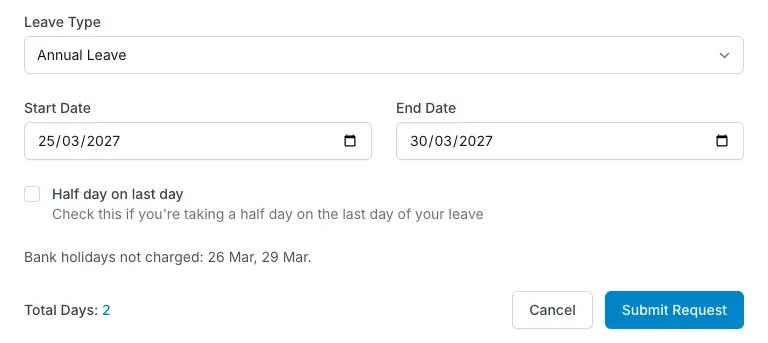
Know exactly what you’re asking for — LeaveWise screenshot

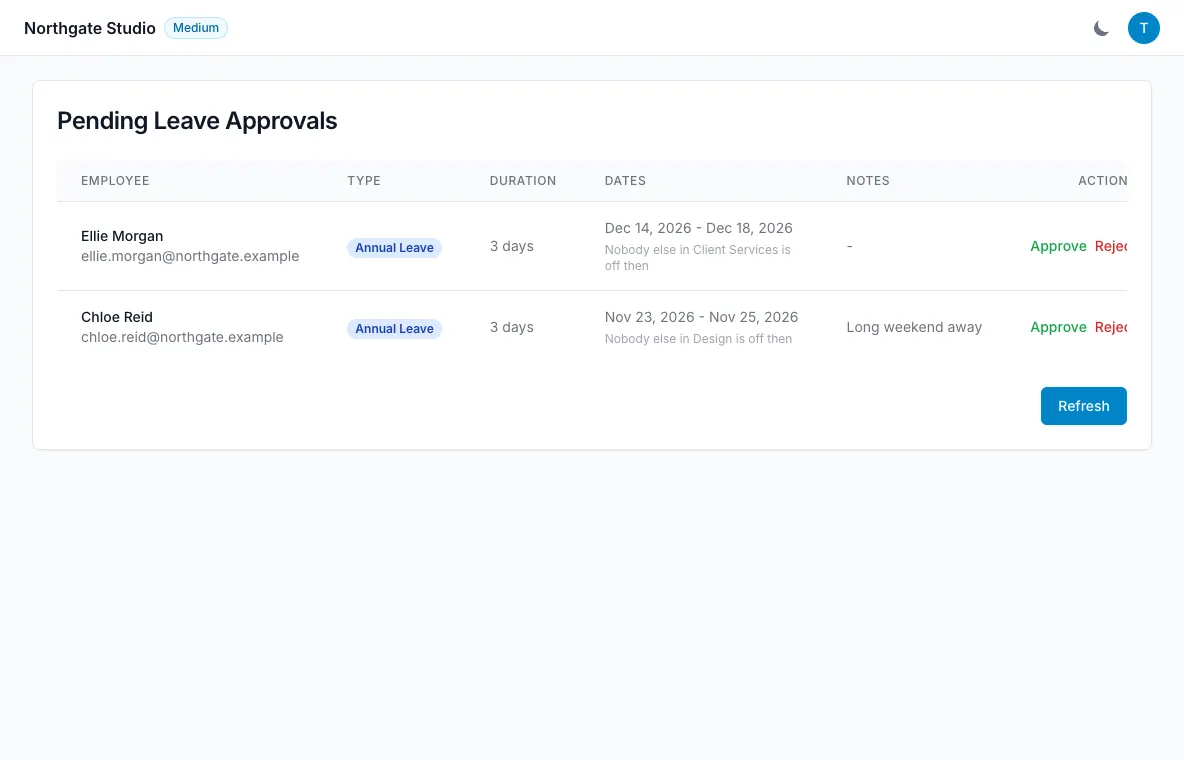
Send it to the person who can say yes.

A request goes to the department manager when one is assigned. Otherwise, it goes to the team admins. Managers see only their department’s queue, with the dates, days, note, supporting document and coverage information together. The approver can see a warning such as “2 of 5 in Sales already off” before deciding. Nobody can approve their own request.

  • Approve or reject with email notifications
  • Restricted-date warnings visible to approvers
  • Employees can cancel pending or approved leave
Send it to the person who can say yes — LeaveWise screenshot

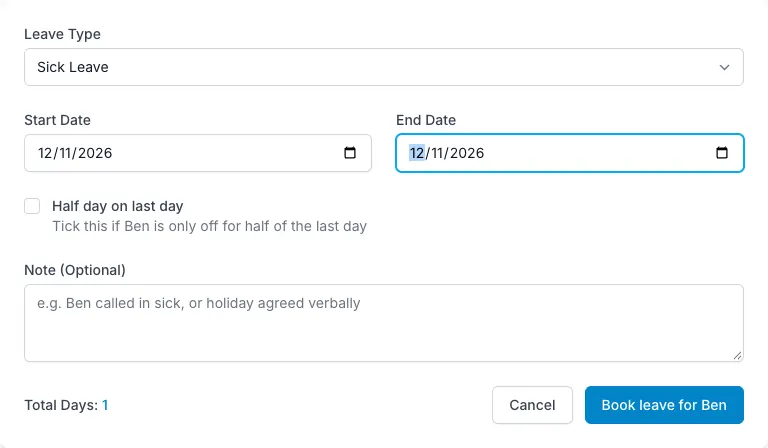
Record the sick call without chasing a form.

When someone phones in sick, an admin can book leave on their behalf from Our People or their profile. The booking is approved immediately and the person receives an email. The history and audit log record who made it, so a booking made by an admin can be distinguished from one the employee requested themselves. Restricted dates warn admins without blocking that booking.

  • Immediately approved admin bookings
  • Clear attribution in history and reports
  • Book through the end of the next leave year
Record the sick call without chasing a form — LeaveWise screenshot
FAQ

Questions people ask

Something else on your mind?
Talk to us

Who approves leave requests?

The department's manager if you've set one, otherwise a team admin. Managers only see their own department's queue. Nobody can approve their own leave.

Can an admin book leave for someone?

Yes. Use “Book leave” on their profile or from Our People. It is approved immediately, the person is emailed, and the record shows who booked it.

What about part-timers on different days?

Set each person's working pattern. Leave is counted only on the days they work, and pro-rata can be switched on to calculate a proportional entitlement.

Get started today

Give your team a clearer way to book time off.

Requests, approvals, balances and who’s out, done properly. Every feature included, from £4.99 a month.

Get started with LeaveWise See pricing Monthly billing. No contract. Cancel any time.