Your first month is free.Add code at checkout.

Who’s Out & calendar

A staff holiday planner the whole team can see.

A shared view of who’s away, without asking around. Keep leave beside your meetings in the calendar you already use.

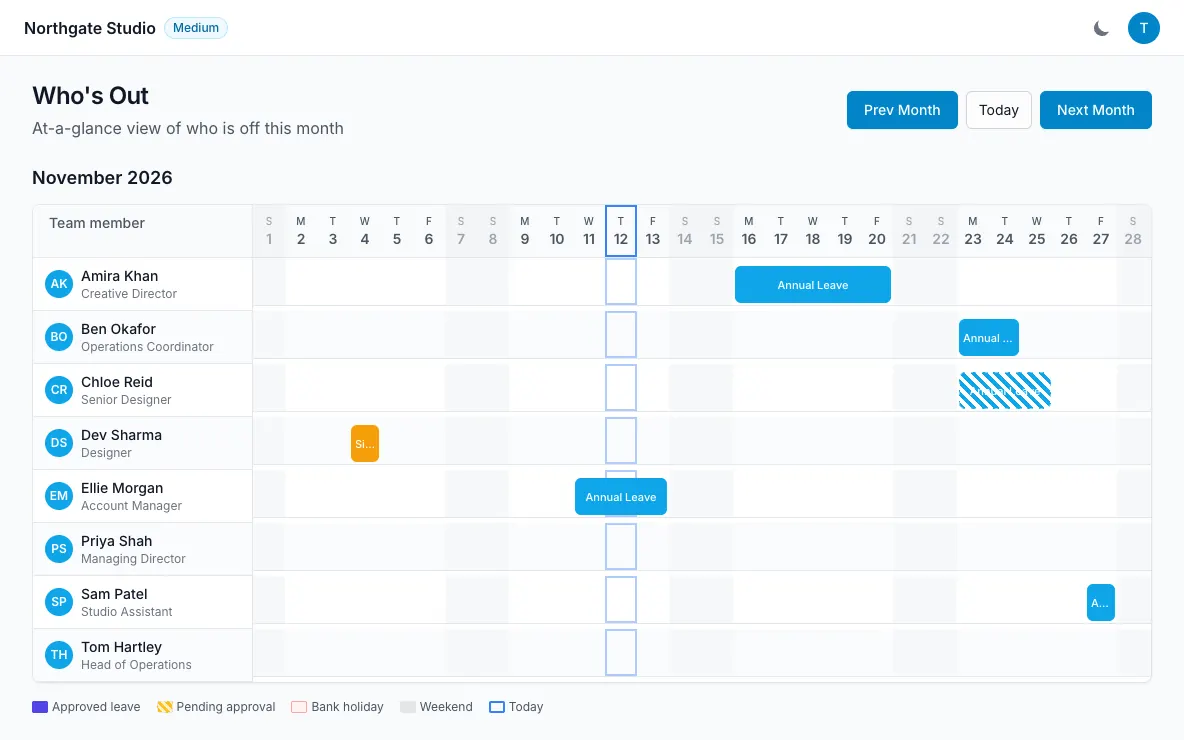
Who’s Out monthly grid with leave types, request statuses, weekends and bank holidays
  • Monthly team grid
  • Month, week and list calendar views
  • Bank holidays and weekends marked
  • Google, Outlook and Apple calendar subscriptions
How it works

Who’s Out & calendar, step by step.

The whole team, one clear picture.

Who’s Out gives everyone a monthly grid of the team’s leave. Colours distinguish leave types and statuses, while bank holidays and weekends have their own markers. It is a practical starting point for checking whether the people you need will be around. Before making a request, employees can also see colleagues in their department who already have time off on those dates.

  • Leave types and statuses distinguished
  • Team-wide visibility
  • Coverage context when requesting leave
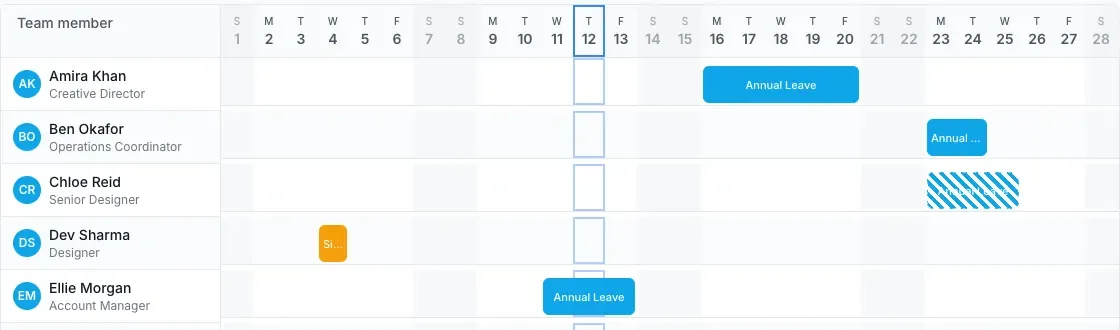
The whole team, one clear picture — LeaveWise screenshot

Choose the view that fits your day.

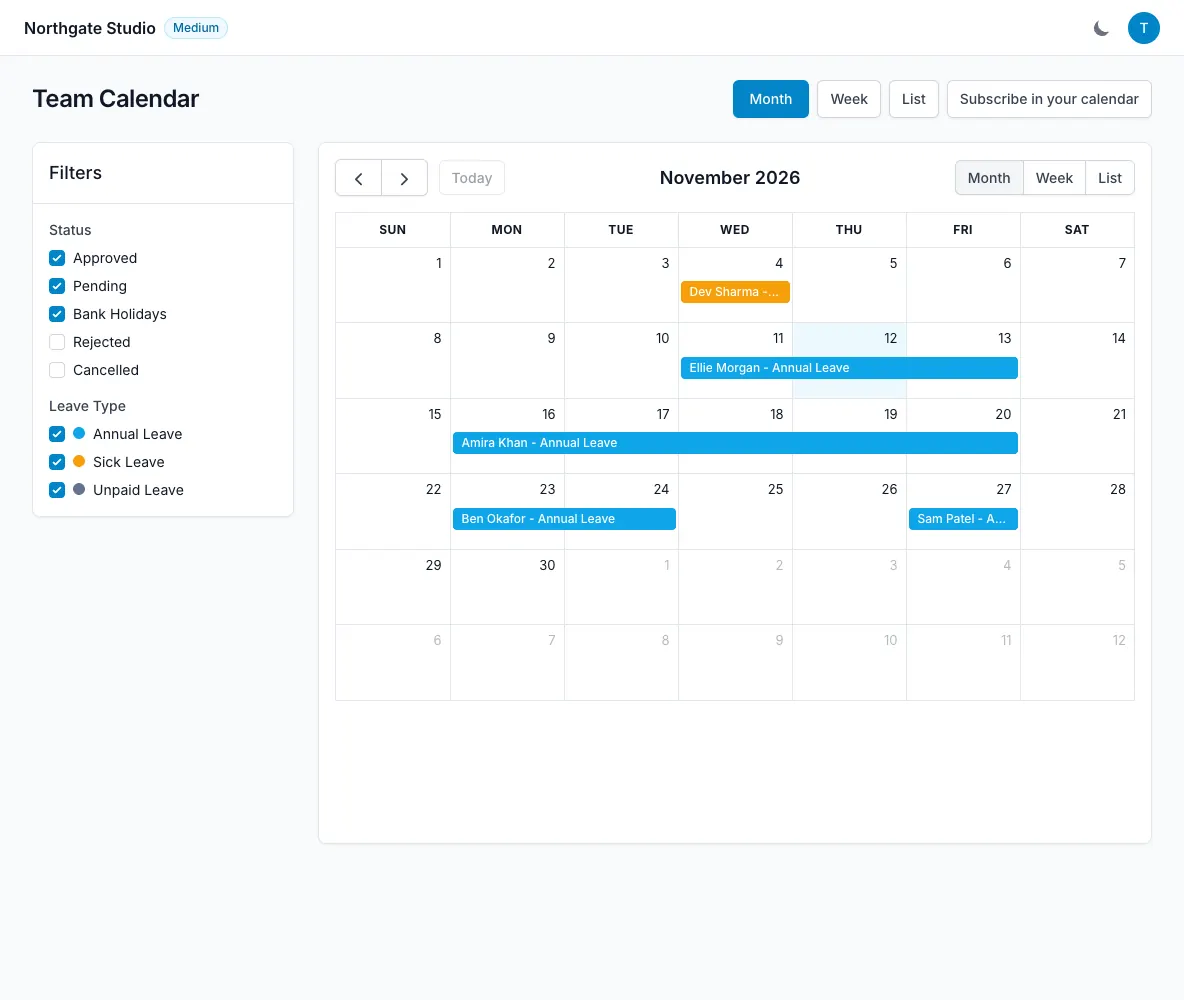
The Team Calendar offers month, week and list views with filters. Use the month for a broad view, the week for an upcoming handover, or the list when you want to read through dates. The calendar brings requests into a shared place instead of leaving availability scattered across individual messages. Approval updates are reflected in the app, keeping decisions and the leave view connected.

  • Month, week and list views
  • Filters for a focused view
  • Approved leave in the team subscription
Choose the view that fits your day — LeaveWise screenshot

Bring leave into your own calendar.

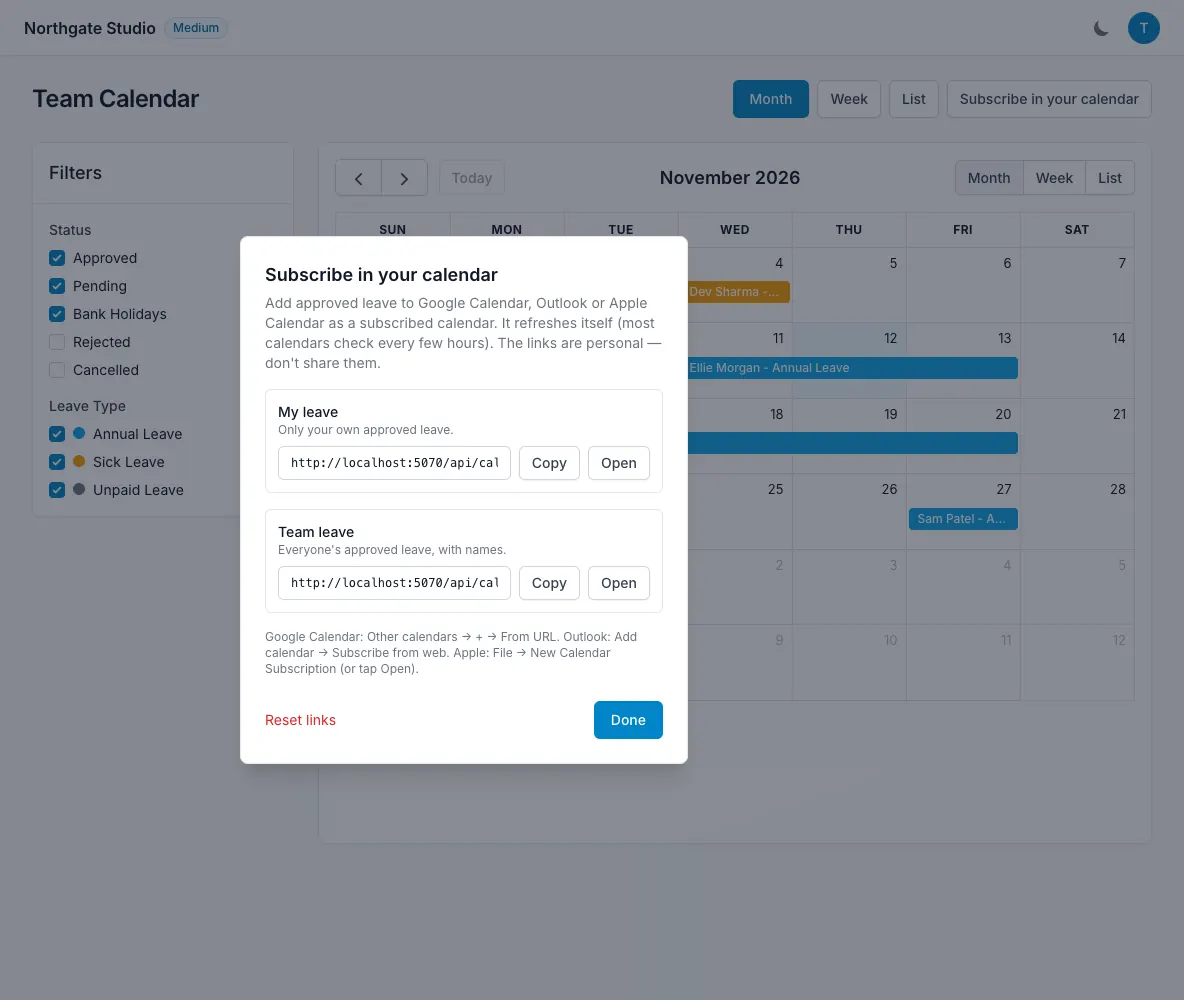
From the Calendar page, use “Subscribe in your calendar” to get a personal .ics link. Choose your own leave or the whole team’s approved leave, then add the link to Google Calendar, Outlook or Apple Calendar. This is a calendar subscription rather than a two-way integration: requests and decisions still happen in LeaveWise. Personal links can be reset if you need to replace one.

  • Own-leave or team-leave feed
  • Resettable personal subscription links
  • Your calendar provider controls refresh timing
Bring leave into your own calendar — LeaveWise screenshot
FAQ

Questions people ask

Something else on your mind?
Talk to us

Can I add leave to Google Calendar or Outlook?

Yes. “Subscribe in your calendar” on the Calendar page gives you personal .ics links for your own leave or the whole team’s approved leave. Apple Calendar is supported too.

Who approves leave requests?

The department's manager if you've set one, otherwise a team admin. Managers only see their own department's queue. Nobody can approve their own leave.

Is there a mobile app?

Yes, a native iPhone app on the App Store. It supports requests, balances, Who’s Out, admin approvals and push notifications. Android is planned.

Get started today

Give your team a clearer way to book time off.

Requests, approvals, balances and who’s out, done properly. Every feature included, from £4.99 a month.

Get started with LeaveWise See pricing Monthly billing. No contract. Cancel any time.