LeaveWise
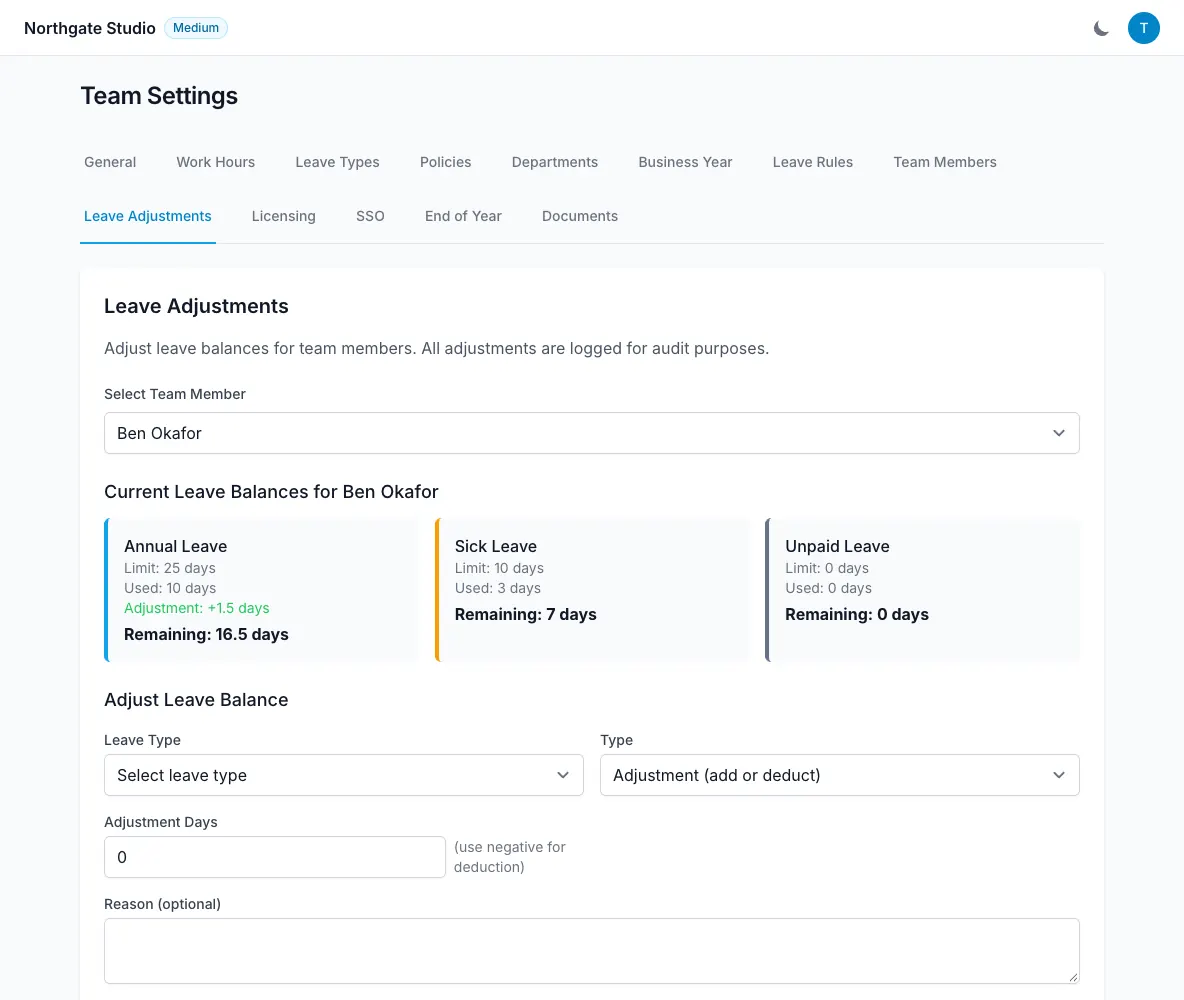
An adjustment changes a person’s leave balance without pretending that a different policy or absence occurred. It can add or deduct days and includes a reason, with the admin’s name recorded.
Time off in lieu, often shortened to TOIL, is a specific adjustment type. It appears separately so earned time can be distinguished from other corrections.
Decide what the adjustment represents
Common reasons include recording an opening position, applying an agreed individual exception or adding earned TOIL. Before entering an amount, confirm the leave type and leave year.
If the balance looks wrong because a policy, working pattern or employment date is wrong, review that underlying setting first. An adjustment can otherwise hide the cause while future calculations continue to use it.
Keep supporting explanations factual. A later admin should be able to understand why the amount was entered without having to reconstruct a conversation.
Add or deduct days
Use the person’s balance adjustment action, choose the relevant leave type and enter the amount and reason. Check whether the change adds to or subtracts from the balance.
Review the result against the formula: entitlement plus adjustments minus days used. Confirm that you have affected the intended year rather than another period.
Adjustments are useful when moving existing balances into LeaveWise because there is no spreadsheet import yet. Check the source figure before recording it.
Record time off in lieu
Choose the TOIL adjustment type when the change represents earned time off in lieu. Enter the days and a reason that reflects the organisation’s agreed arrangement.
TOIL is not a separate claim that the app automatically calculates overtime pay or decides how extra work converts to leave. The admin records the agreed days.
The separate display makes those days easier to recognise when reviewing the balance.
Review changes and year-end handling
Changes are attributed, and the audit trail helps explain who updated a record. If a policy is reassigned, review the offered remap of existing adjustments.
Closing a leave year records balances and archives the year, clears that year’s adjustments from the active calculation and creates carry-over where enabled. Review outstanding corrections before closing so the final position reflects the intended allowance and usage.