LeaveWise
Calendar subscriptions bring leave into the calendar you already use for meetings and planning. LeaveWise provides personal .ics links for your own leave or the whole team’s approved leave.
This is a read-only subscription. Requests, approvals and corrections still happen in LeaveWise rather than by editing an event in the external calendar.
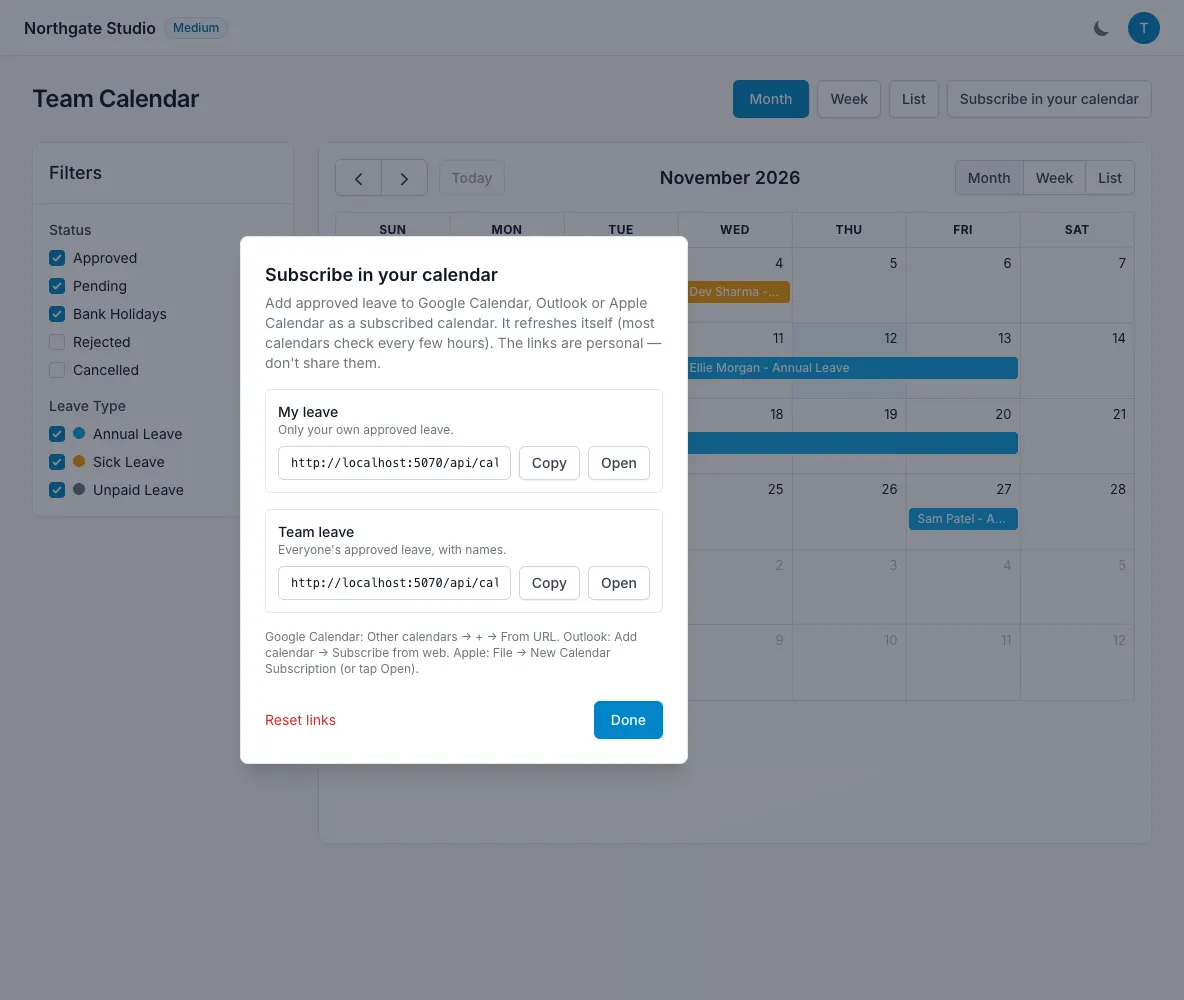
Choose the feed
Open the Calendar page and select “Subscribe in your calendar”. Choose whether you want your own leave or the team’s approved leave.
Use the personal feed when you mainly need to see your own time off beside appointments. Choose the team feed when you need shared availability in your everyday calendar.
Check the choice before copying the link so you do not mistake one feed for the other.
Add the subscription
In Google Calendar, Outlook or Apple Calendar, use the option to add or subscribe to a calendar from a URL. Paste the .ics link supplied by LeaveWise.
The exact menu names differ between calendar apps and versions. Look for a subscription or internet-calendar option, rather than importing a one-time file if you want the feed to refresh.
Give the calendar a recognisable name in your calendar app. This makes it easier to distinguish LeaveWise leave from your own appointments or another team calendar.
Allow time for updates
External calendar providers decide when to refresh subscriptions. A newly approved or cancelled booking may appear in LeaveWise before the external calendar updates.
If the display looks old, check the source booking in LeaveWise first. Do not create a duplicate request to force a calendar update.
The team subscription contains approved leave. A pending request may be visible in the app’s views without being part of that approved-leave feed.
Keep the link private
The subscription URL is personal. Treat it as information that should not be posted in a public document or shared beyond its intended use.
Links can be reset. If you reset one, update the subscription in your calendar app with the new link so it uses the current feed.
If you no longer need a subscription, remove it from your external calendar. For a persistent discrepancy, tell support which feed and calendar provider you are using without publishing the private URL.