Your first month is free.Add code at checkout.

Leave rules

Your leave policy, put into practice.

Set the boundaries once. Give your team clear expectations about busy dates, reminders and the year ahead.

Team Settings Leave Rules with restricted dates, reminder switches and leave-year settings
  • Blocked dates or gentle warnings
  • Any leave-year start month
  • Reminders, digest and approver nudges
  • Year-end archive and carry-over
How it works

Leave rules, step by step.

Busy weeks need clear boundaries.

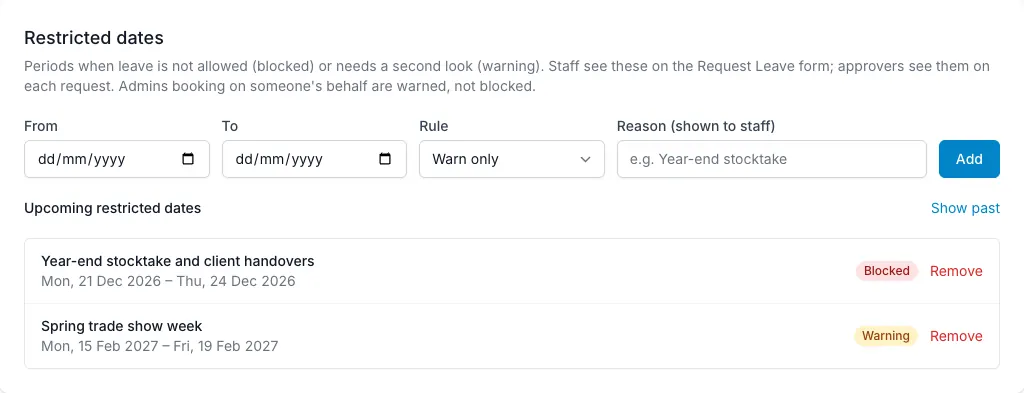
Create restricted date ranges and choose how firm the rule should be. A blocked range refuses employee requests and shows the reason. A warning allows the request but flags it to both the employee and approver. That lets a team distinguish dates that truly cannot work from dates that simply need more care. Admins booking on someone’s behalf see the warning rather than a hard block.

  • Block or warn for each range
  • Reason visible to the requester
  • Restrictions visible during approval
Busy weeks need clear boundaries — LeaveWise screenshot

A useful nudge, when you want one.

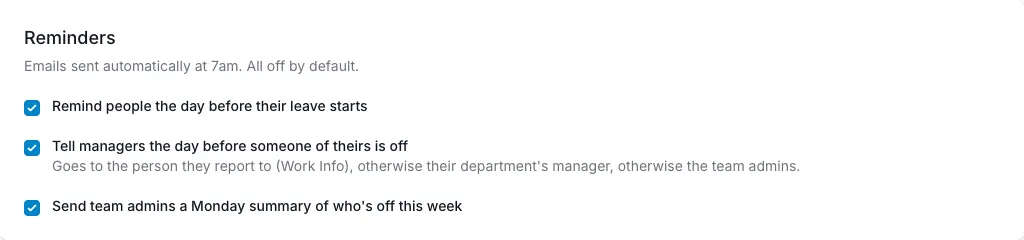
Turn on reminder emails to help people prepare for time off. Employees can receive “your leave starts tomorrow”; managers can receive a note that someone is away from tomorrow. Admins can also receive a Monday digest showing who is off that week, and approvers can get a morning email about requests that have waited more than a day. These are team switches and are all off by default. The scheduled reminders run at 7 am; they are not Slack or Teams notifications.

  • Employee reminder
  • Manager reminder
  • Monday digest for admins
A useful nudge, when you want one — LeaveWise screenshot

Make the leave year match your business.

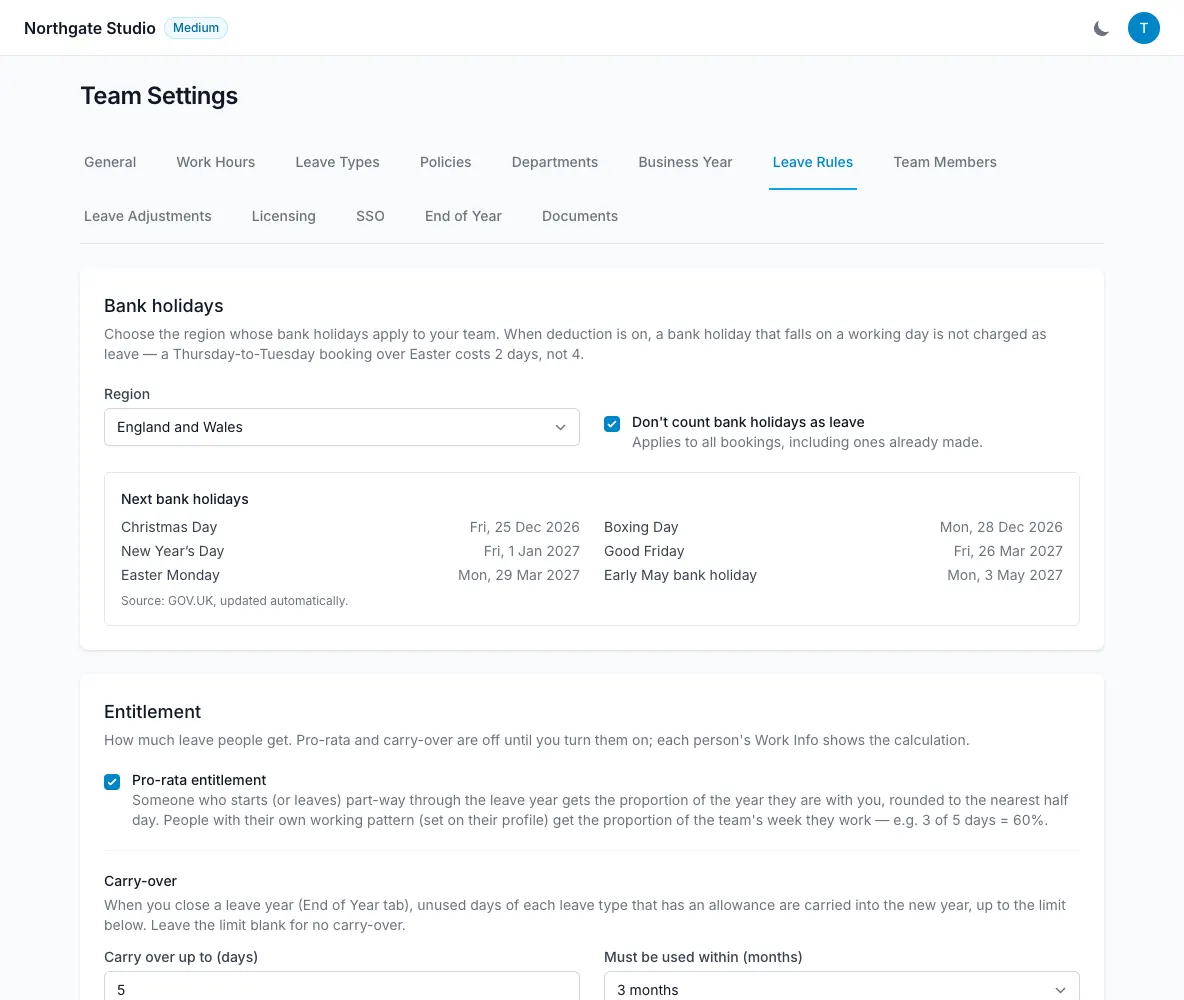
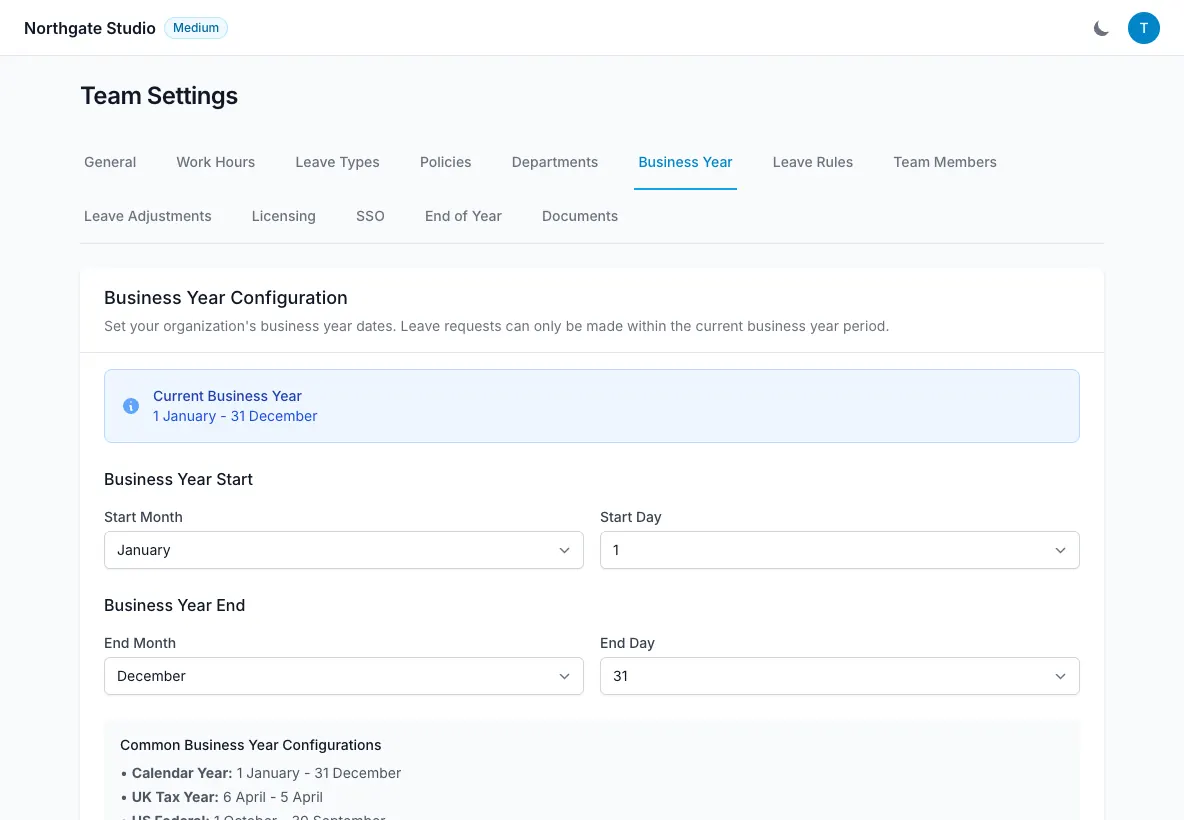
Your leave year can start in any month, so an April-to-March business does not need to squeeze its policy into the calendar year. Balances and reporting follow the configured year. Once a year ends, an admin can close it to create a CSV archive, record closing balances and apply carry-over if enabled. Closing is an explicit action, giving you time to review the figures first.

  • Balances per leave year
  • Bookings through the next leave year
  • Closing records retained
Make the leave year match your business — LeaveWise screenshot
FAQ

Questions people ask

Something else on your mind?
Talk to us

Can I stop bookings during busy weeks?

Yes. Restricted dates can block requests or show a warning. Admins booking on someone’s behalf are warned rather than blocked.

Can managers be reminded about requests they have not answered?

Yes. Turn on approver reminders and each approver gets a morning email listing requests that have waited more than a day. Anything waiting 3 days on a department manager goes to the team admins too.

Can our leave year run April to March?

Yes. Choose your leave-year start in Team Settings. Balances and reports follow that year, and you can book leave up to the end of the next leave year.

What happens to unused days at year end?

Nothing until an admin closes the year. If carry-over is on, unused days carry into the new year up to your cap, with an optional expiry date.

Get started today

Give your team a clearer way to book time off.

Requests, approvals, balances and who’s out, done properly. Every feature included, from £4.99 a month.

Get started with LeaveWise See pricing Monthly billing. No contract. Cancel any time.