Staff training that gets done, with the record to prove it.
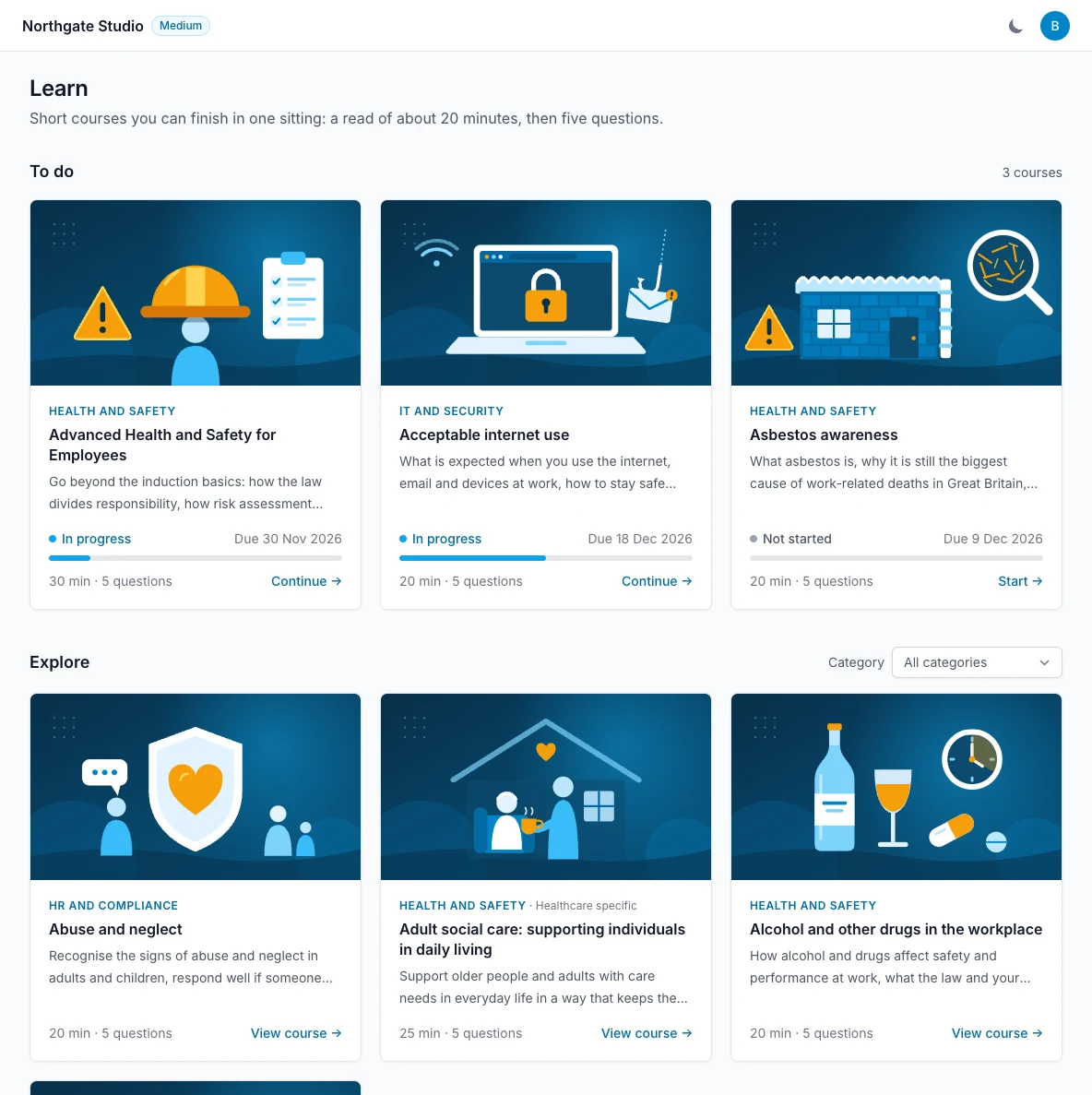
Ready-made courses your team can finish in one sitting. Assign them, let LeaveWise do the chasing, and see who has completed what. Included in every plan.
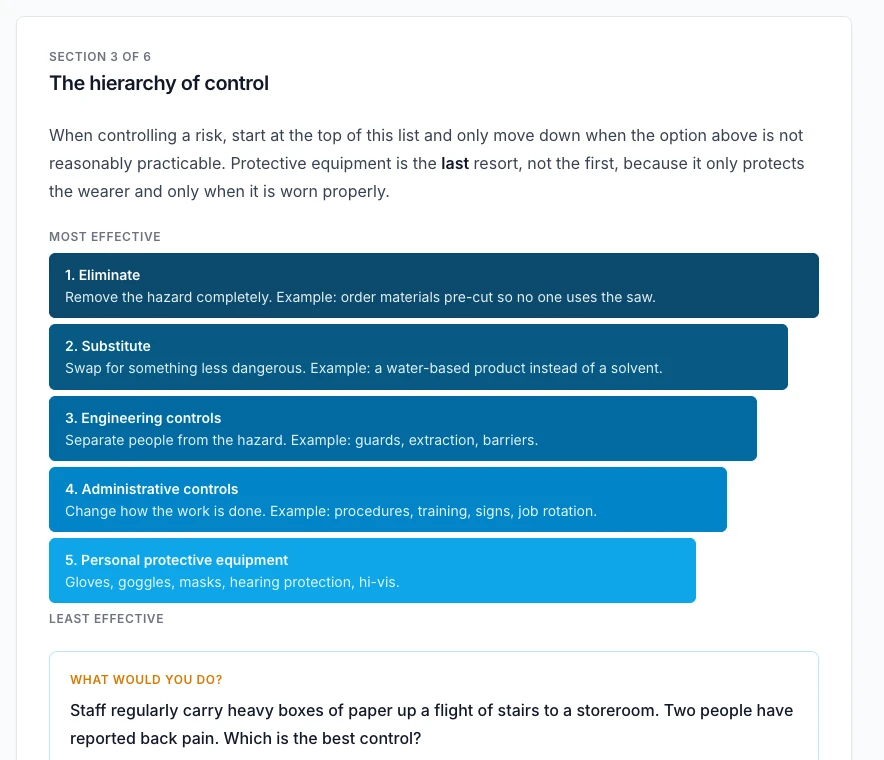
Each course is a handful of short, illustrated sections written in plain English for UK workplaces: key figures, step-by-step guides, checklists and a “what would you do?” scenario that makes people think. They take 15 to 30 minutes. Progress saves as each section is read, so a course can be started on a phone at lunch and finished at a desk the next day.
15 to 30 minutes, in short sections
Real workplace scenarios, not slides
Stop and pick up where you left off
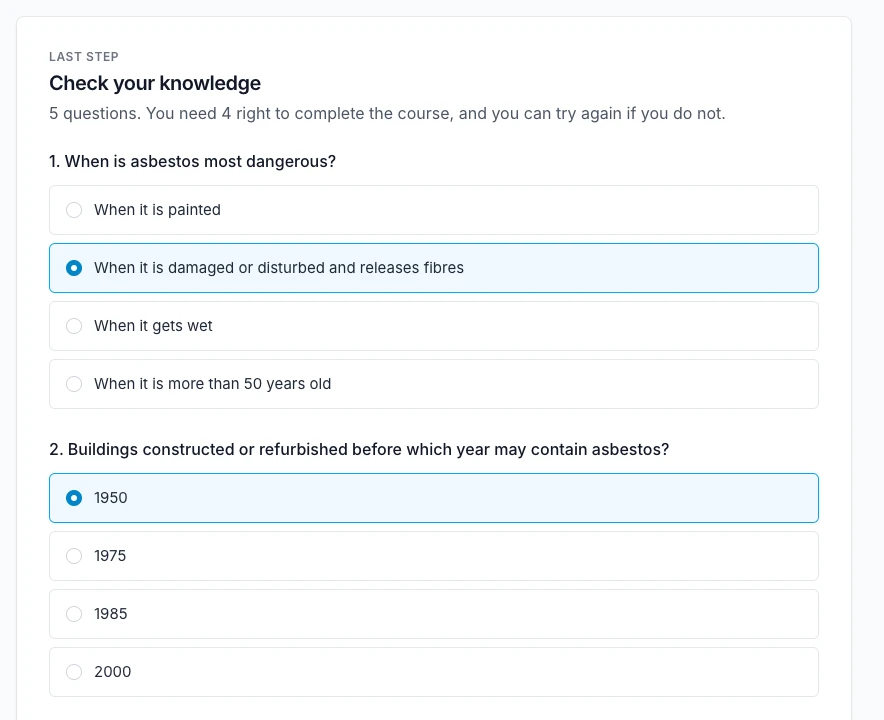
Five questions, marked properly.
A course ends with five questions and four must be right to pass. The questions unlock only once every section has been read, and they are marked on our servers, so the answers cannot be found in the page. Someone who does not pass is shown which answers to look at again, without being handed the right ones, and can try again after re-reading.
Four out of five to pass
Every section must be read first
Retry after a failed attempt
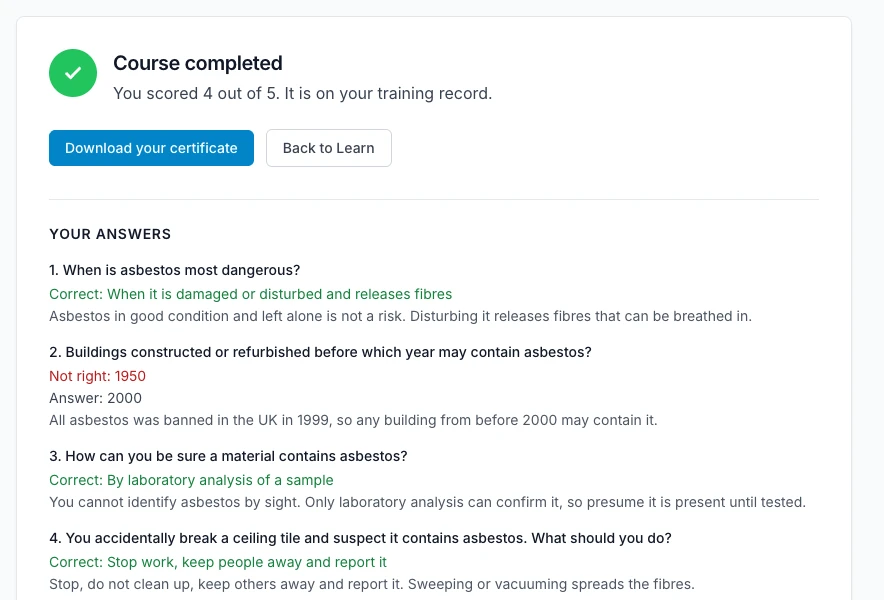
A certificate the moment they pass.
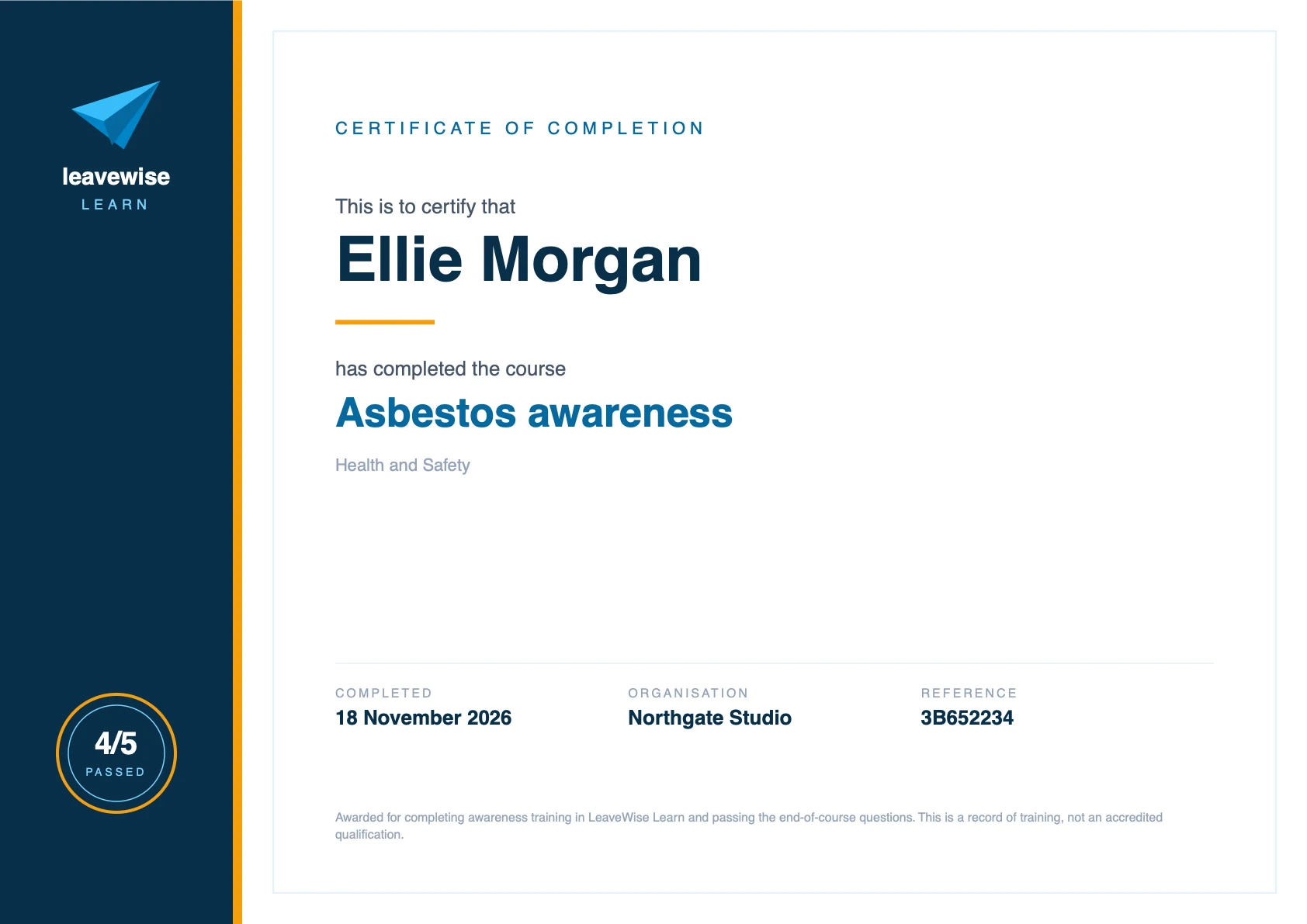
Passing produces a PDF certificate with the person’s name, the course, the date, the score, your organisation and a reference. It is on their training record immediately and stays there. They can download it whenever they need it, and so can their manager and team admins: useful when a client, insurer or inspector asks for evidence.
PDF certificate with a reference
Download any time, by staff or admins
Explanations for every answer after passing
Set each course up the way your business needs.
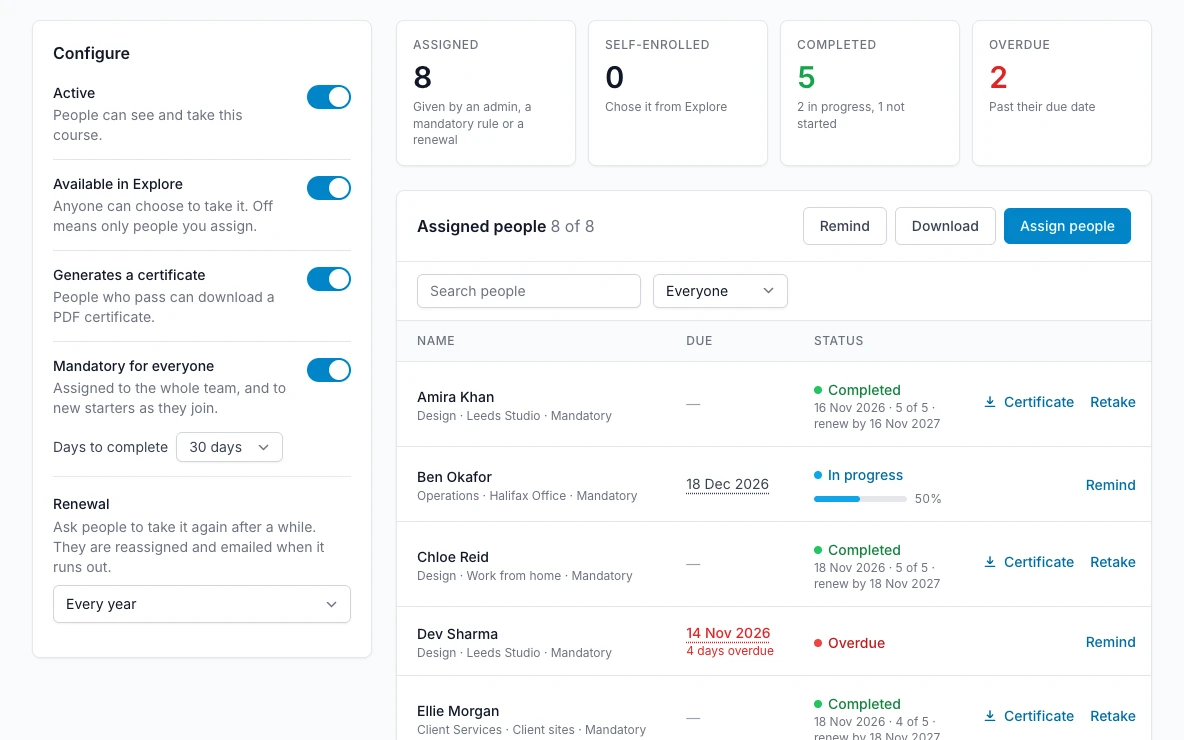
Every course has its own switches. Turn off the ones that do not apply to you. Leave a course open for anyone to take, or keep it for people you assign. Make it mandatory and it goes to the whole team and to every new starter the day they join. Set a renewal period and people are asked to take it again when it runs out, with their earlier certificate kept.
Mandatory for everyone, including new starters
Renewal every 6, 12, 24 or 36 months
Switch courses on and off per team
Assign to anyone in a few clicks.
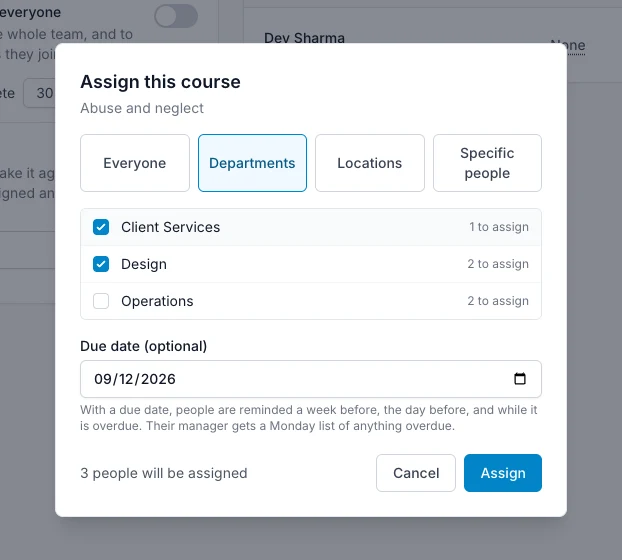
Give a course to everyone, to whole departments, to a location or to named people, with an optional due date. LeaveWise shows how many people will receive it before you confirm and skips anyone who already has it. Each person is emailed with a link straight to the course. Change a due date, send a reminder or ask for a retake from the same screen.
By department, location or person
Due dates you can change later
One-click reminders
See exactly who has done what.
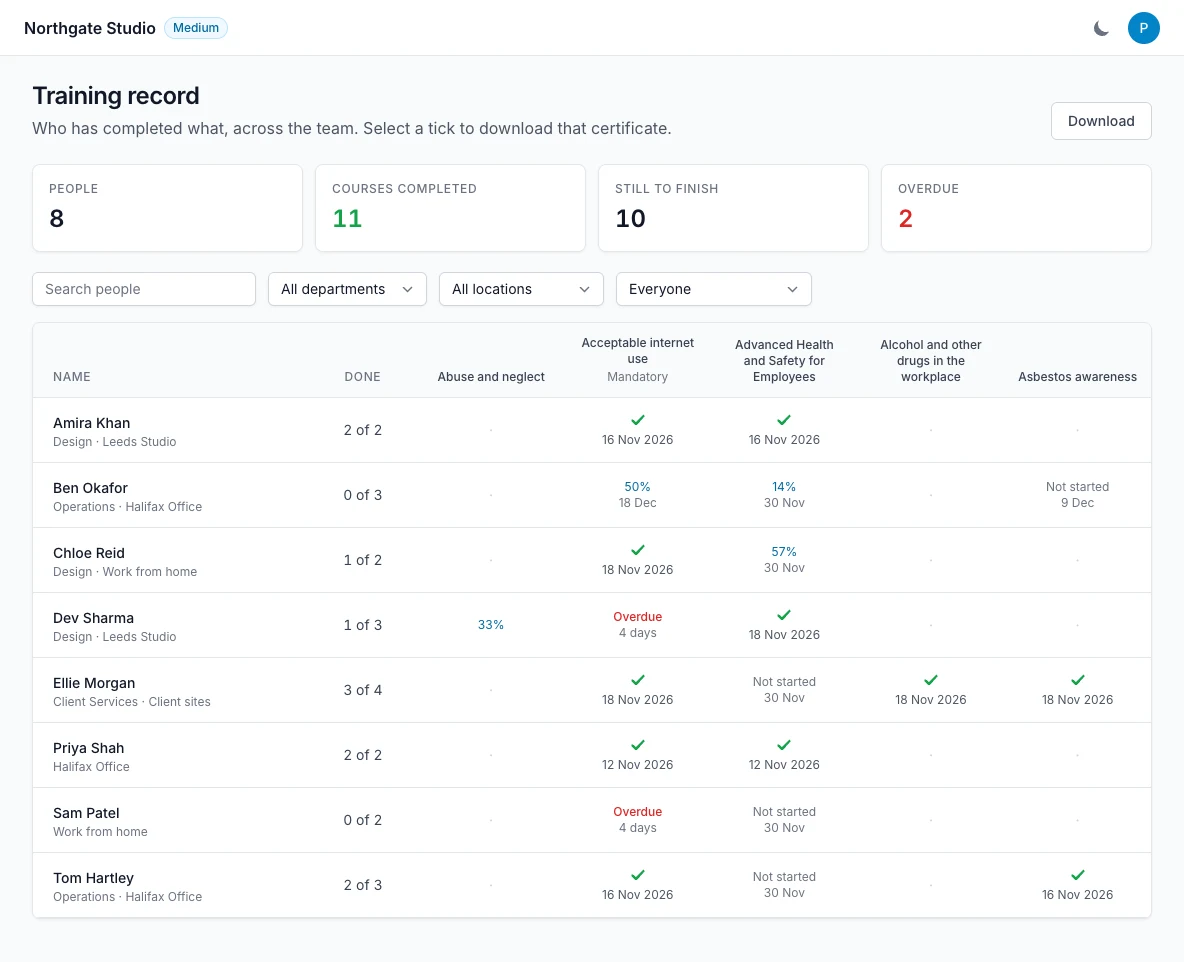
The training record is one table: every person down the side, every course across the top, with a tick and a date for each completion and a clear flag on anything overdue. Filter it by department or location, show only people with overdue training, download it as a spreadsheet, or click a tick to download that certificate. Department managers get the same view for their own people.
Who is complete, in progress or overdue
Filter by department and location
Download the record or any certificate
Notifications
You are told. You do not have to ask.
LeaveWise does the chasing and keeps the right people informed. Every email can be switched off with one setting if you would rather handle it yourself.
The person
When a course is assigned
An email with what it is, how long it takes, when it is due and a link straight to it. The same when a course becomes mandatory or is due for renewal.
The person
Before it is due
A reminder a week before the due date and again the day before. Several courses are grouped into one email, not one each.
The person
While it is overdue
A reminder the day after the due date and every week until it is done. An admin can also send one at any moment with a single click.
Their manager
When someone completes a course
The department manager, or the team admins where there is no manager, is emailed the course, the date and the score.
Managers and admins
Every Monday
One list of everyone in their team with overdue training and which courses, so it can be raised in the week ahead.
Everyone
When training runs out
On a course with a renewal period, the person is asked to take it again when it expires. Their earlier certificate stays on record.
The training record
Who has done what, on one screen.
Every person down the side, every course across the top. A tick and a date for each completion, progress for anything under way, and a clear flag on anything overdue. When a client, an insurer or an inspector asks what training your people have had, the answer is one download.
Filter by department or location, or show only overdue training
Download the whole record as a spreadsheet
Click any tick to download that person’s certificate
Department managers see the record for their own people
The moment someone passes, a PDF certificate is ready with their name, the course, the date, the score, your organisation and a reference. It never has to be requested, printed or filed: it is on their record for as long as they are with you.
Staff download their own from Learn or their profile
Managers and admins download anyone’s from the training record
Earlier certificates are kept when a course is renewed or retaken
For team admins
Every course, and how it is going.
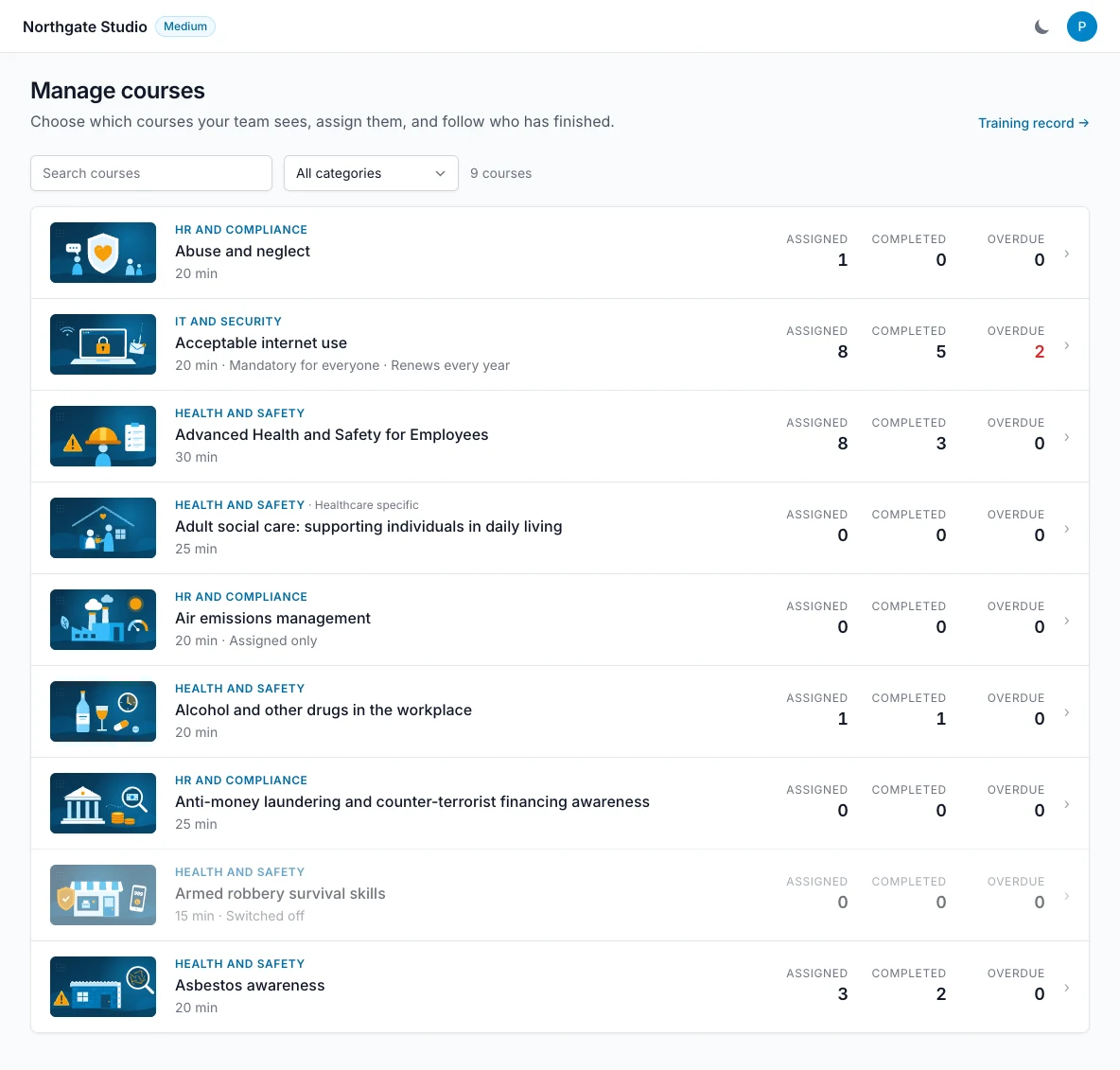
Manage courses lists the whole library with how many people have each course, how many have finished and how many are overdue. Open one to change its settings, assign it, send a reminder or download the list. Courses that do not suit your business can be switched off so nobody sees them.
Assigned, completed and overdue counts per course
Every change recorded in the audit log
Each person’s training on their profile, next to their HR records
Yes. Learn and every course in it are part of every plan, from £4.99 a month for up to 5 users. There is no charge per course or per learner, and new courses are added to your account as they are released.
Can I see who has completed their training?
Yes. The training record shows every person against every course: completed with the date, in progress, not started or overdue. You can filter it by department or location, download it as a spreadsheet, and download any certificate from it. Department managers see the same record for their own departments.
Do staff get a certificate?
Yes. Passing the questions at the end of a course produces a PDF certificate with the person’s name, the course, the date, the score and your organisation’s name. They can download it at any time, and so can their manager and team admins.
Can I make a course mandatory for new starters?
Yes. Switch a course to “Mandatory for everyone” and it is assigned to the whole team with a due date, and to every new starter automatically when they join. You choose how many days people have to complete it.
Does LeaveWise chase people who have not finished?
Yes. With a due date set, each person is reminded a week before, the day before, the day after and then weekly while it is overdue. Their manager gets a Monday list of overdue training, and an admin can send a reminder at any time with one click.
Am I told when someone completes a course?
Yes. When someone passes, their department manager, or the team admins if they have no manager, gets an email with the course, the date and the score. It also appears in the training record and the audit log straight away.
Can training be renewed every year?
Yes. Set a renewal period on a course, for example every year. When it runs out the course goes back on the person’s list, they are emailed, and their earlier certificate stays on their record.
Are the courses accredited?
No. They are awareness training written for UK workplaces: general guidance that helps people understand a subject and what is expected of them. The certificate is a record that a named person completed the course and passed the questions on a given date. Where the law requires formal, practical or accredited training, the courses support it but do not replace it.
Can we add our own courses?
Not yet. Today the library is written and maintained by LeaveWise, and it is growing. Tell us which subjects your team needs and we will prioritise them.
Can staff take a course on their phone?
Yes, in the phone’s web browser. Courses are short sections that fit a small screen, and progress is saved, so a course can be started on a phone and finished at a desk. Courses are not in the iPhone app yet.
We use one strictly necessary cookie to remember this choice, and privacy-friendly analytics that don’t identify you or follow you around the web. No advertising cookies. Privacy policy
 LeaveWise