Your first month is free.Add code at checkout.

Team & HR

Light HR for small businesses: people, records and an org chart.

People, policies and the paperwork that matters. Light HR tools that belong alongside your leave calendar.

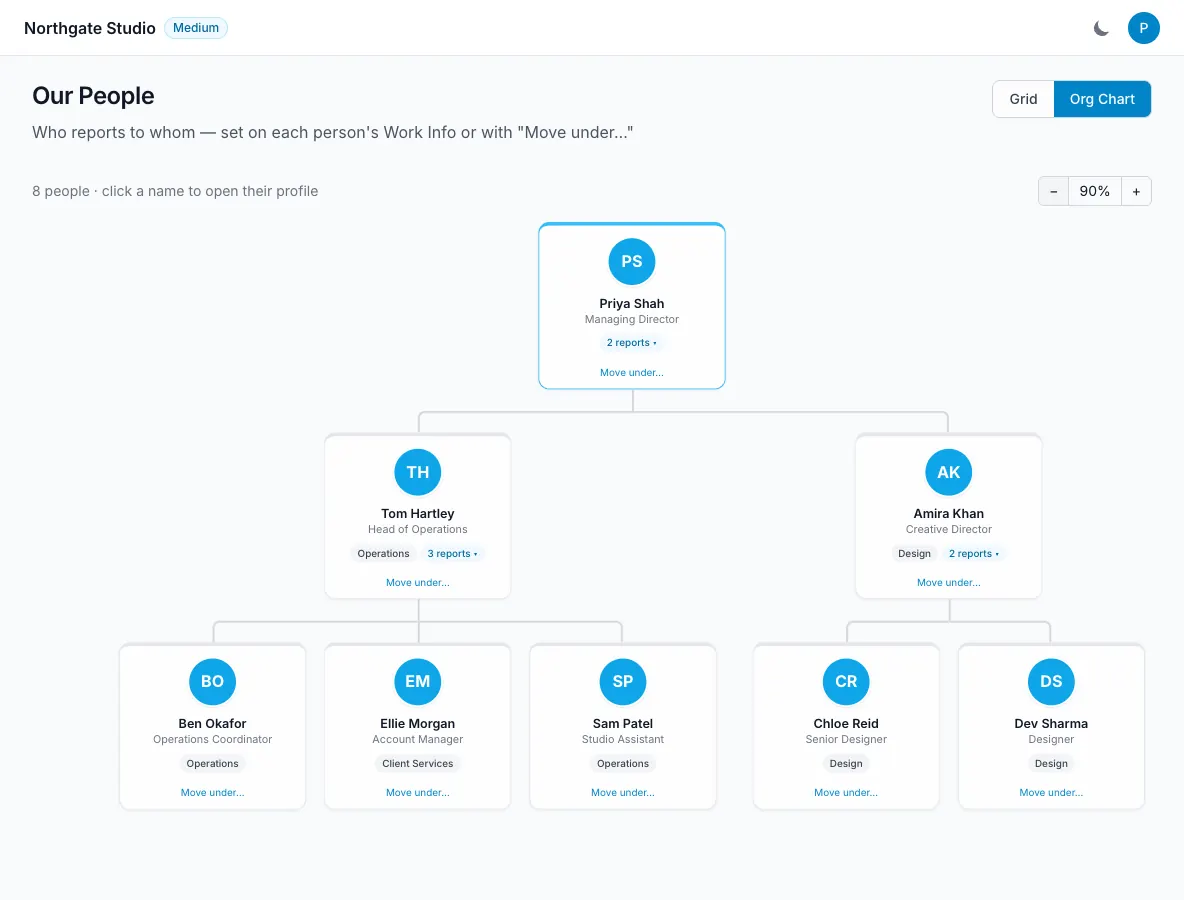
Organisation chart showing reporting lines and collapsible team branches
  • People profiles and departments
  • Editable reporting-line org chart
  • Locations: offices, sites and home
  • Company document acknowledgements
  • Return-to-work notes after sickness
  • Private HR records and payroll CSV
How it works

Team & HR, step by step.

Know who’s who, and who reports to whom.

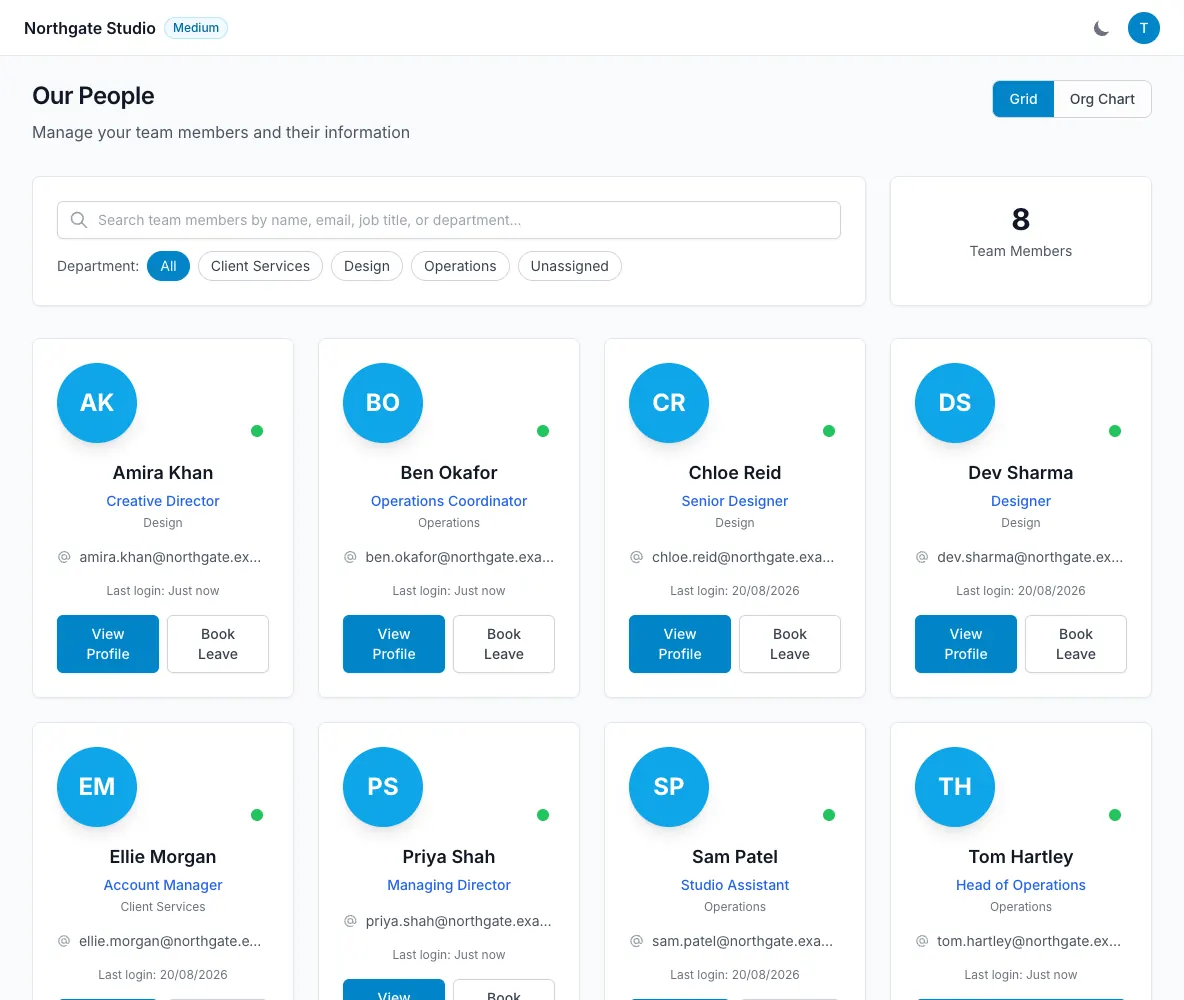
Keep job titles, departments, contact details, start dates and contract types on people’s profiles. Assign a department manager to route that department’s leave approvals and reminders. The org chart uses “reports to” relationships to show an actual reporting tree, with collapsible branches and zoom. Change a reporting line on the profile or use “Move under…” on the chart to reflect the team as it changes.

  • Invitations respect your plan’s user cap
  • Deactivate and reactivate people
  • Team admin, member and department manager access
Know who’s who, and who reports to whom — LeaveWise screenshot

A handbook people can acknowledge.

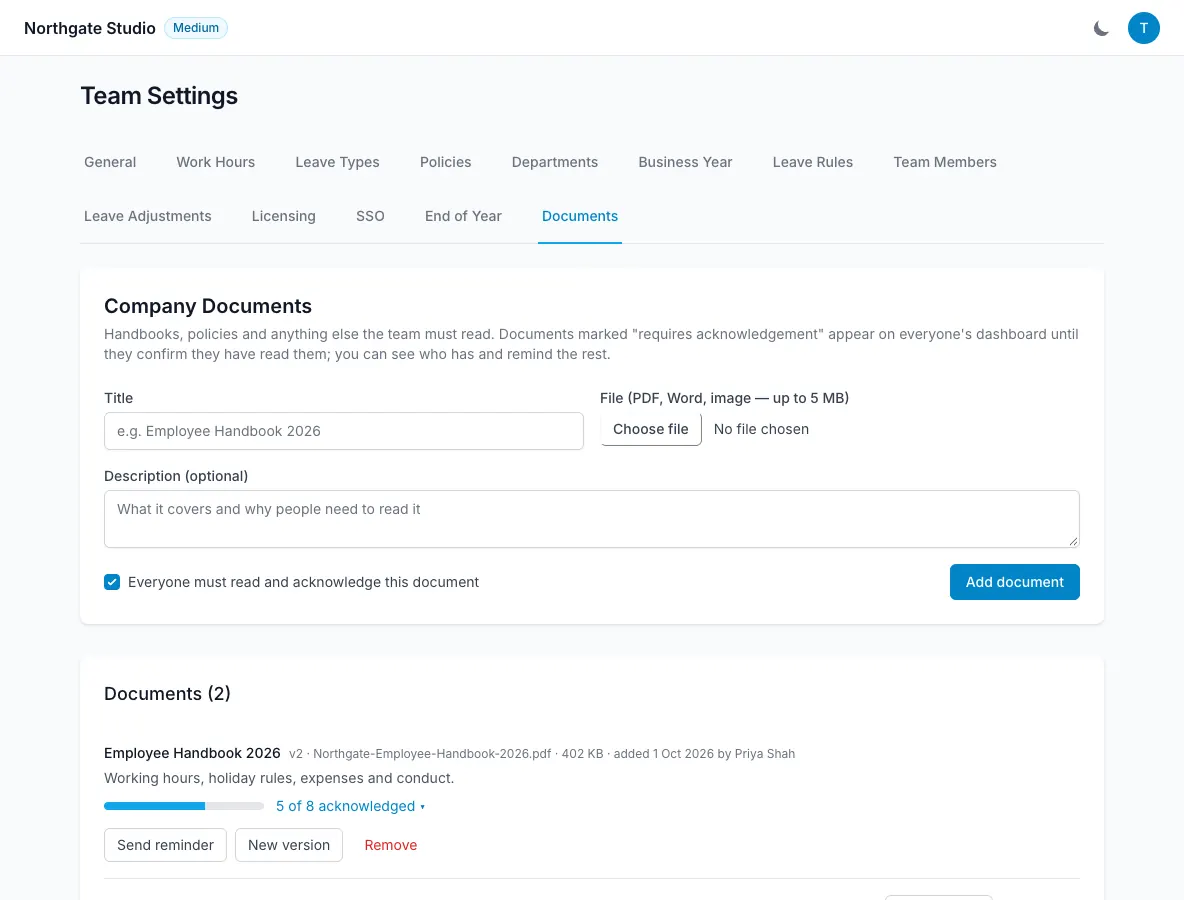
Upload a company handbook or policy and mark it as requiring acknowledgement. Each person confirms that they have read it, with their name, date and IP recorded. Admins can see outstanding acknowledgements and send reminders. Uploading a new version resets acknowledgements, so confirmation relates to the current document rather than an old copy. It gives the team a record of who has acknowledged which policy.

  • Read-and-acknowledge records
  • Reminders for outstanding acknowledgements
  • New version resets confirmations
A handbook people can acknowledge — LeaveWise screenshot

Keep sensitive records appropriately visible.

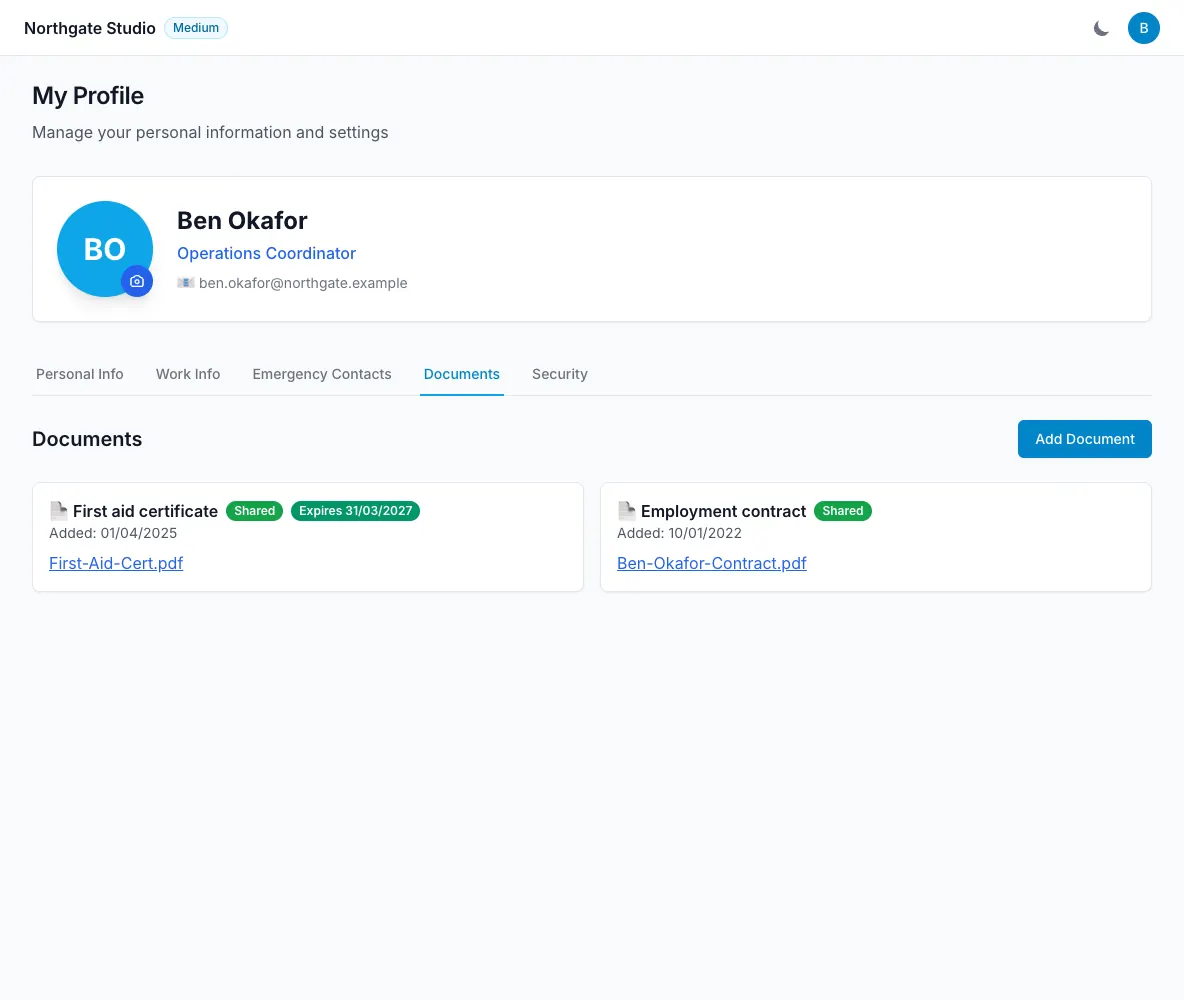
A person’s HR area can hold emergency contacts, documents such as contracts and certificates, disciplinary records and issued equipment. Documents can have expiry reminders and a visible-to-employee setting. Members only see their own items that have been made visible to them. Private file storage uses short-lived signed links, and the audit log records administrative changes so the team has a history of what was updated.

  • Optional document expiry reminders
  • Employee visibility controls
  • HR changes in the audit log
Keep sensitive records appropriately visible — LeaveWise screenshot

Get absence data ready for payroll.

Choose a date range and export absence by person as a CSV. The export separates holiday, sick, unpaid and other absence, using working patterns and bank holidays in its calculations. Leave history can also be exported with working days, approver and the person who booked it. These are files for your own payroll workflow; LeaveWise does not currently connect directly to a payroll provider.

  • Date-range absence export
  • Working-day calculations
  • No payroll integration required to download a CSV
Get absence data ready for payroll — LeaveWise screenshot

Back from sickness, on the record.

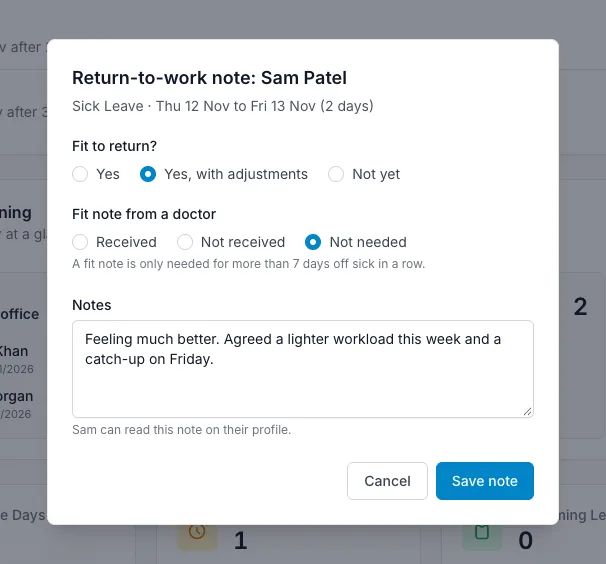
When someone’s sick leave ends, their department manager, or the team admins, is prompted on the Dashboard from their first working day back. A short return-to-work note records whether they are fit to return, whether a fit note was received and anything agreed, such as a phased return. Notes stay on the person’s profile, where they can read their own.

  • Prompted on the first working day back
  • Fit to return, fit note and notes
  • Readable by the person themselves
Back from sickness, on the record — LeaveWise screenshot

Know where everyone is based.

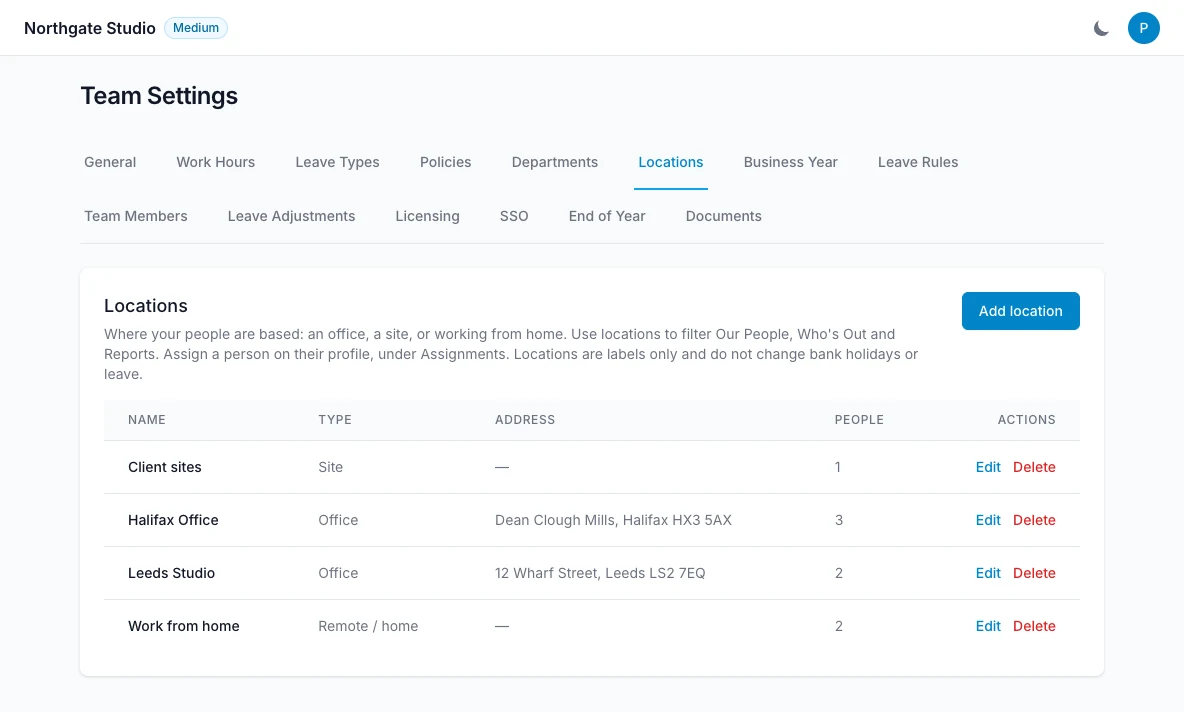
Add the places your people work, whether that is an office, a client site or home, and assign one to each person. The location shows on their profile and on the org chart, and becomes a filter on Our People, Who’s Out and Reports, so you can answer “who is in the Halifax office next week?” in one click. Locations are labels for finding and reporting on people. They do not change bank holidays or how leave is counted.

  • Offices, sites and working from home
  • Filter Our People, Who’s Out and Reports
  • Shown on profiles and the org chart
Know where everyone is based — LeaveWise screenshot
FAQ

Questions people ask

Something else on your mind?
Talk to us

Does LeaveWise do return-to-work notes?

Yes. When someone’s sick leave ends, their department manager (or the team admins) is prompted on the Dashboard to record a short note: whether they are fit to return, whether a fit note was received, and anything agreed. Notes are kept on the person’s profile and they can read their own.

Can we record which office or site people work from?

Yes. Add your locations, such as an office, a site or “Work from home”, and assign one to each person. You can then filter Our People, Who’s Out and Reports by location. Locations are labels: they do not change bank holidays or how leave is counted.

Does LeaveWise do one-to-ones?

Yes. A department manager or team admin schedules a one-to-one with someone, once or repeating weekly, fortnightly, monthly or quarterly. Each has an agenda, the employee’s own talking points, shared notes, private notes and actions, and both people are reminded the day before and on the day.

Can an admin book leave for someone?

Yes. Use “Book leave” on their profile or from Our People. It is approved immediately, the person is emailed, and the record shows who booked it.

Who approves leave requests?

The department's manager if you've set one, otherwise a team admin. Managers only see their own department's queue. Nobody can approve their own leave.

Is there an audit log?

Yes. Leave, member, settings, HR, document and access changes are recorded with who, when and what changed, including before and after values.

Get started today

Give your team a clearer way to book time off.

Requests, approvals, balances and who’s out, done properly. Every feature included, from £4.99 a month.

Get started with LeaveWise See pricing Monthly billing. No contract. Cancel any time.